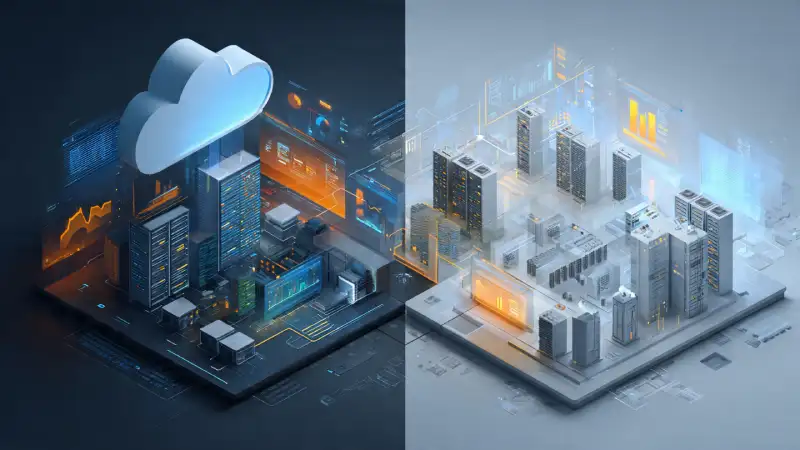
Let’s cut to the chase: choosing between Cloud ERP and On-Premises ERP isn’t just a tech decision. It’s a strategic one that touches your budget, your team’s daily workflow, your growth plans—and even your peace of mind.
We’ve talked to dozens of business owners who got stuck because they focused only on features, not on how the system would live in their world. So, before you fall into the same trap, let’s break it down—clearly, honestly, and without the sales jargon.
Real-Life Experience from a Cloud Migration Project
A few years ago, I was working on an ERP implementation in Abu Dhabi. The project started with an on-premise deployment, and everything ran smoothly during the initial phase. Partway through the rollout, the customer decided to shift the system to Microsoft Azure so their users across different branches could access it over the web. On paper, it sounded like the right move — modern, scalable, and convenient.
We completed the migration without major hurdles and opened access through the browser. That’s when the trouble began. The application technically worked, but the response time was painfully slow. Users struggled to perform daily tasks, and even generating basic reports took far longer than it ever should have. The same setup that was fast in-house suddenly felt unusable once moved to the cloud.
After several days of investigation with our DBA and technical team, we discovered that the issue wasn’t the ERP or Azure at all — it was the firewall restrictions enforced by the local administration. The tight network security policies were throttling performance without anyone realizing it. Initially the only practical workaround seemed to be moving the application back to the in-house servers.
Before doing that, we held multiple discussions with Microsoft and explored different configuration options. Eventually, with input from both sides, our technical team found a solution that complied with the local regulations while still allowing the application to perform at the required level. Once the provisioning was adjusted accordingly, the performance stabilised and the users could work normally again.
That experience taught me that cloud isn’t just about hosting — it’s about the surrounding environment too. Infrastructure, network constraints, local policies, and stakeholder alignment can make the difference between a smooth cloud deployment and a frustrating one.
First, What Exactly Are We Talking About?
Cloud ERP means your ERP software runs on someone else’s servers—usually your vendor’s or a major cloud provider like AWS. You log in through a browser (like you would Gmail or LinkedIn), and everything just works. No servers in your office. No IT team babysitting hardware. Just you, your login, and your business data—accessible from anywhere with internet.
On-Premises ERP, on the other hand, lives on physical servers inside your building (or private data centre). You buy the hardware, install the software, manage updates, handle backups—and pray your air conditioning doesn’t fail during summer.
Now, let’s talk real trade-offs.
The Cloud ERP Reality: Freedom vs. Long Term Cost
Most small and midsized businesses lean toward Cloud ERP—and for good reason.
You skip the headache of buying $20k+ servers. You don’t need to hire a fulltime sysadmin just to keep the lights on. And when your team works remotely (which, let’s be honest, most do now), they can still access inventory, approve POs, or run reports from a coffee shop in Bali.
The upsides are real:
- You’re up and running in weeks, not months.
- Monthly fees are predictable—no surprise hardware failures.
- Security patches and upgrades happen automatically, often overnight.
- Scaling is as easy as clicking “add 5 more users.”
But—and this is a big but—it’s not all smooth sailing.
Over five or ten years, those monthly subscriptions add up. Some companies end up paying more than they would’ve for an On-Premises license. Plus, if your internet goes down for a few hours, your entire operation can stall (unless your vendor offers offline mode—many don’t).
And while vendors promise full data ownership, try exporting your entire database when you want to switch platforms. Some make it easy. Others? Not so much.
So yes, Cloud ERP is simpler—but it trades control for convenience. And that’s fine… as long as you know what you’re giving up.
On-Premises ERP: Control Comes at a Price
Now, On-Premises isn’t “old school”—it’s just different. For certain businesses, it’s still the smarter play.
Imagine you’re in manufacturing, defence, or healthcare, where regulations demand that sensitive data never leaves your physical premises. Or maybe you’ve spent years building custom integrations between your ERP and legacy shopfloor machines. In those cases, moving to the cloud could break more than it fixes.
Here’s what On-Premises gives you:
- Total control over your data and infrastructure.
- Freedom to customize every corner of the system.
- No recurring software subscription—just a onetime (though hefty) license fee.
- Full offline operation. Power’s out? As long as your local network works, your warehouse team can keep scanning.
But—and again, this matters—someone has to manage all that.
That means:
- Hiring (or training) IT staff who understand ERP architecture.
- Budgeting for server replacements every 4–5 years.
- Losing sleep over backup failures or failed upgrades.
- Spending weeks (or months) just to apply a new version.
We’ve seen companies save money long term with On-Premises —but only because they already had the team and infrastructure in place. If you’re starting from zero, the hidden costs can shock you.
So… Which Should You Pick?
Ask yourself these questions:
- Do we have an IT team? If not, Cloud is almost always the safer bet.
- How critical is remote access? If your sales team or field staff need real-time data, Cloud wins.
- Are we in a highly regulated industry? If compliance requires onsite data, On-Premises may be non-negotiable.
- What’s our 5year plan? Fast growth? Cloud scales effortlessly. Stable operations with deep custom needs? On-Premises might serve you longer.
There’s no “best.” Only “best for you.”
One Last Thought: Flexibility Matters More Than Ever
ERP decisions don’t have to lock you in forever. What matters most is choosing a platform that adapts as your business evolves.
Both Cyprus ERP and Onfinity ERP support modern deployment models, allowing businesses to run in the cloud or on-premises based on their priorities—speed, cost, control, or compliance. You can start lean, scale confidently, and adjust your setup as requirements change.
Cyprus ERP, developed by BRS Infotek on the Adempiere framework, is a flexible and cost-effective solution for SMEs and growing businesses.
Onfinity ERP, for which BRS Infotek is the legal partner, is designed for organizations that require enterprise-grade scalability, structured processes, and long-term growth readiness.
Final Takeaway
ERP isn’t about choosing the most complex system—it’s about choosing the right fit.
- Cloud helps you move faster
- On-premises gives you greater control
Pick what you need today, without limiting tomorrow.
Your ERP should work quietly in the background—while your business moves forward.
About the Author
Surya Sagar, Founder and ERP Solution Architect at BRS Infotek, has over 18 years of experience delivering ERP solutions across industries and regions.
He leads ERP strategy and implementations for both Cyprus ERP and Onfinity ERP, helping businesses achieve practical and sustainable digital transformation.
Want more no-nonsense ERP insights? Subscribe. We skip the fluff.


