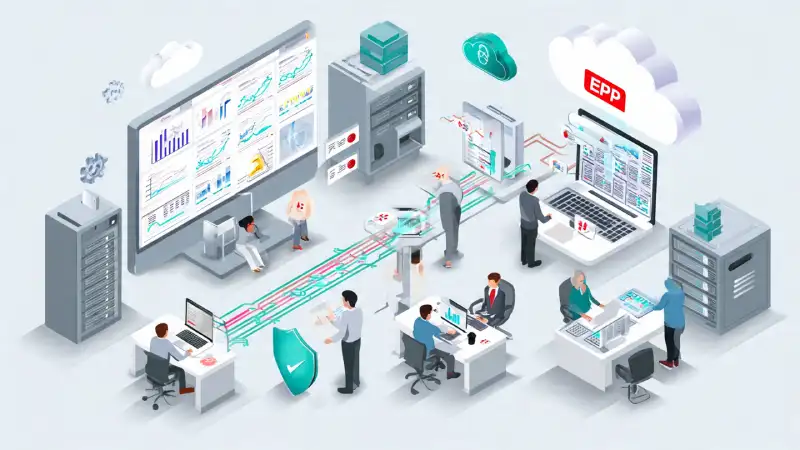
Introduction: ERP Works Perfectly—Until One Day It Doesn’t
In almost every ERP discussion, the focus is on features: sales modules, inventory control, reports, dashboards, automation, and user adoption.
Backup and disaster recovery?
That usually comes at the very end of the conversation—or not at all.
After spending nearly two decades implementing and supporting ERP systems across manufacturing, trading, and service businesses, one uncomfortable truth stands out:
ERP systems rarely fail because of bad software.
They fail because businesses don’t plan for failure.
Power cuts, server crashes, ransomware attacks, cloud outages, accidental deletions—none of these announce themselves in advance. And when they happen, companies suddenly realize how deeply ERP is connected to their daily operations.
This article is not written from theory or textbooks.
It is written from real ERP support calls, real recovery efforts, and real business panic moments.
If you run ERP—or plan to—this is something you should read before you need it.
What Is ERP Backup & Disaster Recovery? (No Technical Jargon)
Let’s keep it simple.
ERP Backup means keeping a safe copy of your ERP data:
- Transactions
- Masters
- Financial data
- Documents
- Configurations
Disaster Recovery (DR) means having a clear, tested way to bring ERP back online when something goes wrong.
In short:
- Backup = what you save
- Disaster recovery = how fast you restart your business
Many companies believe:
“We take database backup regularly, so we’re safe.”
Unfortunately, that belief has caused more damage than comfort.
Why ERP Backup Planning Is a Business Topic—Not an IT Topic
ERP is not just another software.
Your ERP controls:
- Sales orders and invoicing
- Inventory movement
- Production planning
- Accounting and compliance
- Payroll and statutory reports
When ERP stops, business decisions stop.
Over the years, we’ve seen companies lose:
- An entire day of dispatches
- Critical production data
- Month-end financial entries
- Customer confidence
And the common reason?
“Backup was planned later.”
Real-Life Incident #1: A Power Cut That Cost Three Business Days
A mid-sized manufacturing company once told our team:
“We have UPS. Nothing will happen.”
One evening, there was a long power outage.
The UPS battery failed. The ERP server shut down abruptly.
What followed:
- Database corruption
- Last clean backup was 10 days old
- No restore test was ever performed
The impact:
- 10 days of production entries lost
- Manual reconstruction of data
- Three full working days of downtime
The ERP software was fine.
The planning was not.
Common ERP Backup Myths That Create False Confidence
Let’s address some dangerous assumptions we hear frequently.
❌ “Our hosting provider handles backup”
Ask yourself:
- Is it daily?
- How long is it retained?
- Can you restore it yourself?
Many hosting backups exist—but are not designed for quick business recovery.
❌ “We back up the database once a week”
Weekly backups might work if:
- Your ERP is barely used
But not if:
- You bill daily
- You run production
- You process payroll
- You file GST returns
❌ “Backup exists, so recovery is easy”
Backup without restore testing is like:
Owning a spare tyre but never checking if it fits.
What Exactly Should Be Backed Up in an ERP System?
This is where most companies go wrong.
1️⃣ ERP Database (Critical)
Includes:
- Transactions
- Masters
- Financial data
- User activity
This must be backed up frequently.
2️⃣ Documents & Attachments
Invoices, purchase orders, quality certificates, scanned files.
We’ve seen ERPs restored perfectly—
except all attachments were missing.
3️⃣ Configurations & Customizations
Reports, workflows, integrations, scripts.
Without these, ERP may start—but it won’t function as your business expects.
4️⃣ Integration & Interface Files
Connections with:
- Machines
- Banks
- Government portals
- External systems
These are often forgotten until something breaks.
How Often Should ERP Backup Be Taken? (Realistic Guidance)
There’s no universal rule, but based on real implementations:
- Database backup
- Minimum: Daily
- Recommended: Every 4–6 hours for active businesses
- Documents & files
- Daily
- Full system snapshot
- Weekly or monthly
Backup frequency should match:
- Transaction volume
- Business risk
- Compliance needs
Quick Reality Check for ERP Owners
If your ERP server went down right now, do you know:
- Where the latest backup is stored?
- How long restoration would take?
- Who is responsible for initiating recovery?
If the answer is “not sure”, you’re not alone.
Most companies discover these gaps only during a crisis.
On-Premise vs Cloud ERP: Backup Reality
On-Premise ERP
- Full responsibility is yours
- Hardware failure = your problem
- Off-site backup is often ignored
Cloud ERP
- Infrastructure is safer
- But data recovery planning still matters
Always ask:
- Backup retention period?
- Restoration time?
- Partial data recovery support?
Cloud does not automatically mean “disaster-proof”.
Disaster Recovery: Backup Alone Will Not Save You
Disaster recovery answers one question:
“How fast can we resume business?”
This depends on:
- RTO (Recovery Time Objective) – Acceptable downtime
- RPO (Recovery Point Objective) – Acceptable data loss
Example:
- RTO: 4 hours
- RPO: 1 hour
Most businesses never define this—until it’s too late.
Real-Life Incident #2: Ransomware on an Accounting Server
A few months ago, I was having a casual coffee chat with a longtime colleague—someone I’ve worked alongside on ERP recovery projects for years. Midway through our conversation about disaster readiness, he shared something that stuck with me.
“Early Monday morning, a trading company called me in a panic:
‘All our files are encrypted. The hackers are demanding payment.’’
They had ERP data, financial records, vendor invoices—everything locked.
Their critical mistake?
- Their backup was stored on the same network as the live system
- There was no offline or air-gapped copy they could fall back on
The result was brutal:
- They had to rebuild the entire system from scratch
- Nearly two months of transactions were recovered manually—entry by entry
- The finance and operations teams worked seven-day weeks just to stabilize
He ended the story with a quiet but firm note:
“If the backup lives where the ransomware can reach it, it’s not a backup—it’s just another target.”
That conversation reminded me why isolation isn’t optional.
Backup isn’t truly safe unless it’s physically or logically separated from your day-to-day systems.
What a Practical ERP Disaster Recovery Plan Looks Like
A strong plan doesn’t need complexity—it needs clarity.
✔ Multiple Backup Locations
- Primary server
- Off-site storage
- Encrypted cloud copy
✔ Regular Restore Testing
- Quarterly minimum
- Validate reports, users, transactions
If restore is never tested, assume it will fail.
✔ Clear Responsibility
When disaster happens:
- Who restores?
- Who informs users?
- Who validates data?
Confusion during downtime multiplies losses.
✔ Documented Recovery Steps
Simple document containing:
- Backup paths
- Restore procedure
- Credentials
- Support contacts
Printed copies still matter when systems are down.
Human Errors: The Most Ignored ERP Risk
Not all disasters involve hackers or hardware.
Common mistakes include:
- Accidental deletion
- Running wrong scripts
- Overwriting production data
We’ve personally recovered ERP systems where:
“One wrong click erased six months of pricing.”
Backup turned panic into relief.
ERP Backup & Compliance: The Silent Requirement
Backup planning supports:
- Financial audits
- GST compliance
- ISO certification
- Industry regulations
Auditors increasingly ask:
- Backup policy
- Retention period
- Restore evidence
Prepared companies pass audits calmly.
“After seeing these patterns repeat across industries, we began asking: What if ERP was designed from day one to make recovery simple?”
Where Modern ERP Thinking Comes In
At BRS Infotek, after handling multiple ERP implementations and support engagements, we repeatedly faced the same situations during crises.
The ERP software was working.
The infrastructure was available.
But the planning done at the time of signing the ERP contract was incomplete.
Backup, recovery expectations, responsibilities, and risk scenarios were rarely discussed in detail. Everyone assumed things would “work somehow” when needed.
That gap between ERP implementation and real-life recovery needs led to the creation of Cyprus ERP.
Cyprus ERP is being designed with practical lessons learned from the field, focusing on:
- Clear separation between master data and transactional data
- Structured and well-defined backup planning
- Easier and more predictable recovery processes
- A business-first architecture, not an IT-heavy design
Cyprus ERP is built on 18+ years of real-world ERP implementations, recovery battles, and lessons learned in the field—not on theory or guesswork.
The goal is simple: to ensure businesses think about continuity and recovery before a failure forces them to.
Real-Life Incident #3: Month-End Saved by Preparation
A finance head once called at 11 PM:
“Server crashed. Tomorrow is month-end closing.”
They had:
- Daily backups
- Tested restore
- Standby recovery plan
ERP was live by 2 AM.
Month-end closed on time.
Same ERP.
Different planning.
Different result.
Why ERP Backup Planning Builds Confidence
When recovery planning is clear:
- Management sleeps better
- IT teams work calmly
- Users trust ERP
- Adoption improves
People use ERP confidently when they know:
“Even if something goes wrong, we can recover.”
Simple ERP Backup & Disaster Recovery Checklist
Ask yourself:
- Do we know where our ERP backups are stored?
- Have we tested restore recently?
- Is data loss limit defined?
- Is backup protected from ransomware?
- Can we recover without panic?
If any answer is “No”, action is needed.
Final Thoughts: Backup Is a Business Survival Strategy
ERP backup and disaster recovery are not optional IT tasks.
They are business continuity decisions.
We’ve seen calm recoveries and painful failures.
The difference was never the ERP software—it was preparation.
The best time to plan was yesterday.
The second-best time is today.
Want to Review Your ERP Backup & Recovery Strategy?
At erppilot.com, we share practical ERP insights based on real implementation and recovery experience.
If you’re planning a new ERP, upgrading an existing system, or strengthening risk controls:
👉 Explore more ERP best-practice guides
👉 Learn how Cyprus ERP is designed with built-in control, recovery, and business continuity
👉 Or see how Onfinity ERP, implemented by BRS Infotek as a legal partner, supports scalable and enterprise-ready resilience
Because in ERP,
it’s never about if something goes wrong—it’s about when.
About the Author
Surya Sagar
Founder & ERP Solution Architect – BRS Infotek
With 18+ years of hands-on ERP implementation, support, and recovery experience, he has helped businesses stabilize failing ERPs, reduce downtime, and build reliable systems using Cyprus ERP and Onfinity ERP.
He is:
- The co-designer of Cyprus ERP
- An official implementation partner for Onfinity ERP
His belief is simple:
ERP success comes from trust—and trust comes from preparedness.


