Introduction: ERP Alone Is Never Enough
When companies invest in an ERP system, there is usually a strong belief that
“Once ERP is live, everything will be smooth.”
The reality is very different.
In almost every ERP implementation I’ve been part of, one thing remains constant:
ERP never works in isolation.
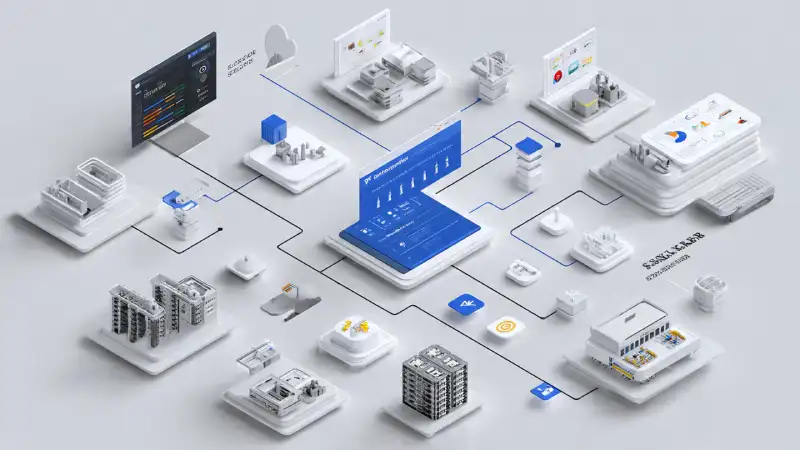
Sales teams work on CRMs, accountants depend on GST and compliance portals, warehouses rely on barcode systems, management expects Power BI dashboards, and customers want real-time updates through WhatsApp or email.
When ERP does not communicate properly with these systems, users lose confidence, data gets duplicated, and manual work quietly returns—mostly through Excel.
In this blog, I’ll explain how to integrate ERP with third-party applications, not from a textbook point of view, but from real implementation experience—what works, what fails, and what must be decided before writing a single line of code.
Why ERP Integration Is No Longer Optional
Earlier, ERP systems were used mainly for accounting and inventory. Today, ERP is expected to be the central nervous system of the business.
Here are real expectations I hear regularly from business owners and managers:
- “Customer details should sync automatically from CRM”
- “Invoices should be pushed to GST portal without re-entry”
- “Sales orders should appear instantly in the warehouse system”
- “Management dashboard should show live numbers”
- “Payment status should update automatically from bank or payment gateway”
All of these require ERP integration.
Without integration:
- Users do double entry
- Reports never match
- Errors increase
- ERP adoption drops
- Management slowly loses trust in data
Knowing why integration is needed is only the first step. The real challenge is understanding what to integrate and how to do it correctly.
Common Third-Party Applications Integrated with ERP
Before discussing how to integrate, let’s understand what ERP usually integrates with.
1. CRM Systems
Examples: Salesforce, Zoho CRM, HubSpot
Used for:
- Leads
- Opportunities
- Customer interactions
Real-life pain:
Sales closes deals faster, but finance struggles because customer and pricing data never fully matches ERP.
2. Accounting & Compliance Tools
Examples:
- GST portals
- E-Invoice systems
- TDS software
Real-life pain:
One incorrect tax sync can lead to compliance issues and penalties.
3. Warehouse & Logistics Systems
Examples:
- Barcode scanners
- RFID systems
- Courier APIs
Real-life pain:
Dispatch happens on time, but billing gets delayed because ERP doesn’t receive confirmation properly.
4. Banking & Payment Gateways
Examples:
- Bank statement APIs
- Razorpay, PayU
- UPI reconciliation systems
Real-life pain:
Payments are received, but ERP shows outstanding dues.
5. Reporting & BI Tools
Examples:
- Power BI
- Tableau
- Custom dashboards
Real-life pain:
Management dashboards look great—but numbers don’t match finance reports.
6. E-Commerce Platforms
Examples:
- Shopify
- Amazon
- Flipkart
Real-life pain:
Orders increase, but inventory and accounting struggle to keep up.
ERP becomes powerful only when it connects cleanly and correctly with these systems.
Integration Is Not a Technical Problem – It’s a Design Problem
One of the biggest misconceptions I often hear is:
“Integration is just an API task.”
In reality, most ERP integration failures are design failures, not technical ones.
Before integration, you must clearly define:
- Which system is the master for each type of data
- Who owns customer, pricing, and tax logic
- Where transactions are created
- What happens when sync fails
- How errors are tracked and corrected
Golden Rule of ERP Integration
👉 One master system for one type of data.
For example:
- ERP → Master for inventory and accounting
- CRM → Master for leads and opportunities
- Payment gateway → Master for payment status
Ignore this rule, and data conflicts are guaranteed.
Different Ways to Integrate ERP with Third-Party Apps
There is no single “best” integration method. The right approach depends on business size, data volume, and criticality.
1. API-Based Integration (Most Common)
Used when:
- Data needs to be real-time
- Volumes are high
- Accuracy is critical
Example:
Sales order created in CRM → pushed instantly to ERP
Pros
- Real-time
- Scalable
- Reliable
Cons
- Requires proper API design
- Needs strong error handling
- Slightly higher cost
In many growing businesses, API integration becomes unavoidable over time.
2. File-Based Integration (CSV / Excel / XML)
Still very common in SMEs.
Used when:
- Systems are old
- APIs are not available
- Volumes are manageable
Example:
Daily sales uploaded as CSV into ERP
Pros
- Simple
- Low cost
- Easy to understand
Cons
- Not real-time
- Manual dependency
- Higher error risk
3. Middleware-Based Integration
Middleware acts as a central bridge between ERP and multiple applications.
Used when:
- Many systems are involved
- ERP should not directly connect to all systems
Example:
ERP ↔ Middleware ↔ CRM, WMS, BI
Pros
- Central control
- Easier monitoring
- Future-ready
Cons
- Additional cost
- Requires skilled setup
Real-Life Example: Field Management Software to ERP Integration Gone Wrong
Let me share a real experience that started as a “simple integration” and turned into a strong learning lesson.
A mid-size manufacturing company implemented ERP for finance, inventory, and billing. At the same time, they implemented Field Service Management (FSM) software to manage delivery trucks and field staff.
The expectation was clear:
“Once the driver visits the site, they upload meter readings and delivery details through the field app. Truck tracking and billing should automatically happen in ERP.”
Technically, integration was built.
Business rules were not.
What Nobody Defined Before Integration
- Which system controls customer data
- Who owns tax and pricing logic
- Whether the field app can create customers
- How ERP validates field data
- What happens with incorrect readings
What Actually Happened
Within weeks:
- Duplicate customers appeared in ERP
- Wrong tax structures were applied
- Incorrect meter readings caused wrong billing
- Sales team blamed ERP
- Accounts team started maintaining Excel again
The integration created confusion instead of efficiency.
How We Fixed It
The fix was design, not code:
- ERP became the master for customers, pricing, and tax
- Field app could only reference ERP customers
- Validation rules were enforced before posting
- ERP rejected incorrect or incomplete data
- Error logs were visible to business users
After that:
- Duplicate data stopped
- Billing accuracy improved
- Trust in ERP was restored
Lesson Learned
Integration without clear ownership rules always creates chaos.
Step-by-Step Approach to ERP Integration (Proven Method)
After fixing multiple failed integrations, this is the approach I now follow in every project.
Step 1: Identify Business Pain Points
Not what can be integrated, but:
- Where manual work exists
- Where errors occur
- Where delays happen
Step 2: Define Data Ownership
Create a simple table:
- Data type
- Master system
- Sync direction
Step 3: Decide Integration Frequency
- Real-time
- Near real-time
- Scheduled batch
Not everything needs real-time sync.
Step 4: Design Error Handling
Decide upfront:
- What happens if sync fails?
- Who sees the error?
- How is it corrected?
Step 5: Test with Real Data
Real tax rules, real customers, real edge cases.
Real-Life Example: Front Desk Hotel Software Integration with ERP
A hotel in Dubai was using separate systems for front desk operations and accounting. The front desk software handled bookings, check-ins, check-outs, and guest billing, while ERP managed finance and reporting.
Initial Situation
- Guest bills created at front desk
- Accounts team manually re-entered invoices
- Night audit never matched ERP
- Month-end closing delayed
- Management reports always late
Integration Solution
- Front desk system remained master for guest billing
- ERP became master for accounting and taxation
- Daily invoices pushed automatically
- Revenue split correctly (rooms, F&B, taxes)
- Validation and reconciliation reports added
Integration ran automatically during night audit.
Result
- Manual entry eliminated
- Numbers matched daily
- Faster month-end closing
- Higher trust in ERP reports
- Front desk focused on guest experience
This is how integration directly impacts business efficiency, not just IT convenience.
Common Mistakes to Avoid in ERP Integration
- ❌ Integrating everything at once
- ❌ Ignoring business validation
- ❌ No rollback strategy
- ❌ Poor performance planning
Security & Access Control in Integration
- Token-based authentication
- Limited API permissions
- Encrypted sensitive data
- Proper audit logs
ERP must control access, not expose it.
How ERP Integration Improves User Adoption
When users see:
- No duplicate entry
- Faster processes
- Fewer errors
- Reliable reports
They stop resisting ERP.
Future-Ready ERP Integration Thinking
Modern ERP integration should be:
- API-first
- Modular
- Upgrade-safe
- Scalable
ERP should act as a platform, not a closed system.
Final Thoughts: Integration Is Where ERP Proves Its Value
ERP integration is not about technology alone.
It’s about understanding how people work, how data flows, and where systems fail in real life.
The best ERP projects are not those with maximum integrations—but those with the right integrations done correctly.
Thinking About ERP Integration Risks?
At erppilot.com, we share practical ERP insights based on real implementation failures and recoveries.
If you are:
- Planning ERP integration
- Fixing failed integrations
- Reducing data and trust risks
👉 Explore more ERP guides
👉 Learn how Cyprus ERP and Onfinity ERP are designed for business control, continuity, and long-term scalability
Because in ERP, it’s never about if something breaks—it’s about when.
About the Author
Founder & ERP Solution Architect – BRS Infotek
With 18+ years of hands-on ERP implementation and advisory experience, he helps organizations build reliable ERP systems using Cyprus ERP, a BRS Infotek–developed solution based on Adempiere, and Onfinity ERP, implemented by BRS Infotek as its official legal partner.


