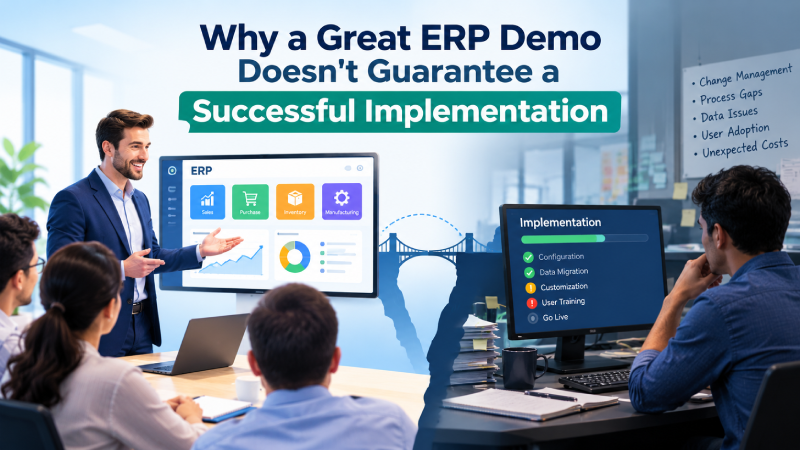
The ERP demo went perfectly.
The vendor showed the quotation screen.
Then the sales order.
Then the purchase order.
Then inventory.
Then manufacturing.
Then finance.
The dashboards looked modern. The reports appeared instantly. The workflow moved smoothly from one transaction to another.
At the end of the meeting, someone from the management team said:
“This looks like the ERP we need.”
Everyone agreed.
The ERP was shortlisted.
The commercial discussion started.
The contract was signed.
And then the implementation began.
A few months later, a very different set of questions started appearing:
How will our actual approval process work?
Why is MRP not considering this stock?
How will we handle multiple production units?
Why does this report require customization?
How will we account for material received before the supplier invoice?
What happens to our existing data?
Why does the accounting entry look different from what finance expected?
Suddenly, the ERP that looked perfect during the demonstration did not look quite so perfect anymore.
This is not necessarily because the ERP was bad.
The problem was that the company had evaluated the demo, rather than evaluating the ERP against its real business.
That distinction is extremely important.
An ERP demonstration should help you understand a product. It should not, by itself, determine whether that product is right for your organization.
After more than 19+ years of working with ERP systems, implementations and business processes, I have learned one simple lesson:
A good ERP demo can help you shortlist a system. It should never be the only reason you select one.
Why an ERP Demo Can Be Misleading
Let us be honest.
ERP vendors know how to demonstrate their products.
They know which screens to open.
They know which reports to show.
They know which workflows look impressive.
They know which features will attract attention.
They also know how to demonstrate the happy path.
For example:
Quotation → Sales Order → Delivery → Invoice → Payment
Everything works.
Or:
Purchase Requisition → Purchase Order → Receipt → Invoice
Again, everything works.
Or:
BOM → Production Order → Material Issue → Production → Finished Goods
Looks perfect.
There is nothing wrong with demonstrating these processes.
The problem starts when the customer assumes:
“Because the standard process worked in the demo, our business process will also work.”
Real businesses are rarely that simple.
The real process may include approvals, exceptions, partial transactions, rejected material, multiple warehouses, different organizations, quality checks, substitutions, rework, delayed invoices, stock reservations, tax requirements, accounting adjustments and many other conditions.
The ERP demo usually shows the clean road.
Your business operates on the real road.
And the real road has traffic.
A Demo Shows the Product. An Implementation Tests the Product.
This is perhaps the most important concept in ERP selection.
A demo usually answers:
“Can the software do this?”
An ERP evaluation should answer:
“Can the software do this in our environment, using our data, our rules, our people, our approvals, our accounting structure and our business processes?”
Those are completely different questions.
Consider purchasing.
During a demo, you may see:
Purchase Requisition → Purchase Order → Goods Receipt → Invoice → Payment
Excellent.
But the actual business process may be:
Purchase Requisition → Approval → Purchase Schedule → Vendor Allocation → Purchase Order → Partial Receipt → Quality Inspection → Rejection → Replacement → Invoice Matching → Landed Cost → Accounting → Payment
Now the question changes.
It is no longer:
“Does the ERP have a Purchase Order screen?”
The real question is:
“Can the ERP support our complete purchasing process without creating unnecessary manual work?”
That is what needs to be tested.
What 19+ Years of ERP Experience Taught Me
When I evaluate an ERP, I don’t begin by asking:
“How many features does it have?”
I ask:
“What happens when the business becomes complicated?”
Every ERP can demonstrate a normal transaction.
The real test is the exception.
What happens when:
- The customer changes the order?
- Material is short?
- Material is received partially?
- Material fails quality inspection?
- A supplier invoice arrives late?
- Production is delayed?
- A component is substituted?
- A product requires rework?
- Stock is transferred between plants?
- A transaction has to be reversed?
- The accounting period is closed?
- A user does not have permission?
- The same user works for multiple organizations?
- An integration fails?
- The physical stock doesn’t match the system stock?
These situations tell me much more about an ERP than a beautiful dashboard.
This is why I believe an ERP selection should focus on business behaviour, not just software features.
Real-Life Example: The Manufacturing Demo That Looked Perfect
Let us take a typical manufacturing scenario.
A company manufactures a finished product called ABC.
ABC requires:
- Raw Material A
- Raw Material B
- Raw Material C
- Several production activities
- Quality inspection
- Finished goods transfer to warehouse
During the ERP demo, the vendor demonstrates:
BOM → Production Order → Material Issue → Production → Finished Goods Receipt
The production manager is satisfied.
He says:
“This is exactly what we need.”
But during implementation, the actual business structure is examined in detail.
The company has three production units.
Unit 1 manufactures one semi-finished product.
Unit 3 manufactures another semi-finished product.
Both supply Unit 2.
Each production unit has its own warehouse.
Some inventory is available for production.
Some is reserved.
Some is under quality inspection.
Some is rejected.
Some must be maintained as safety stock.
MRP must consider where the stock is located and whether that stock is actually available for planning and consumption.
Now the question becomes:
“Can MRP understand our actual supply structure?”
The vendor may still answer:
“Yes.”
But now the customer needs to test it.
Not verbally.
Not through PowerPoint.
Not through a generic demo.
With an actual business scenario.
That is the difference between seeing an ERP and evaluating an ERP.
Your Business Process Is More Important Than the Feature List
One of the biggest mistakes during ERP selection is preparing a list like this:
- CRM
- Sales
- Purchase
- Inventory
- Manufacturing
- Finance
- HR
- Payroll
- Reporting
Then asking every vendor:
“Do you have these modules?”
Almost every ERP vendor will say yes.
The answer doesn’t tell you enough.
Instead, document the actual business process.
For example, don’t simply write:
Sales Order Management
Write:
Customer enquiry → quotation → customer negotiation → revised quotation → approval → sales order → credit check → reservation → delivery → invoice → collection
Now the ERP vendor has something meaningful to demonstrate.
Do the same for:
- Purchasing
- Inventory
- Manufacturing
- Finance
- Service
- Project management
- Asset management
- HR
- Reporting
The ERP should be evaluated against business processes, not just module names.
Don’t Let the Vendor Control the Entire Demo
This is one of my strongest recommendations.
Don’t simply tell an ERP vendor:
“Please give us a demo of your ERP.”
That gives the vendor complete control over what you see.
Instead, provide your own scenarios.
For example:
“Here is our manufacturing process. Please demonstrate how you would execute it.”
Or:
“We have three warehouses and two manufacturing locations. Show us how material will flow between them.”
Or:
“We purchase material from overseas suppliers. Show us how landed cost will be calculated and added to inventory valuation.”
Or:
“We receive material physically today but receive the supplier invoice after ten days. Show us how the ERP handles this.”
Now you are testing the ERP.
You are no longer watching a sales presentation.
A scripted demonstration using the same real-world scenarios for each shortlisted vendor also makes comparisons much more meaningful.
Five Things an ERP Demo Usually Doesn’t Show You
A good ERP demo can show you a lot.
But there are several things it normally does not show in enough depth.
1. Exceptions
What happens when the transaction does not go according to plan?
2. Real Data
What happens when the system receives years of inconsistent customer, vendor and product data?
3. Accounting Consequences
What accounting entries are generated behind the operational transaction?
4. Business Complexity
What happens when there are multiple organizations, warehouses, production units, approval levels and user roles?
5. Implementation Reality
Who will configure the system, migrate the data, create reports, train users, conduct UAT and support the organization after go-live?
These questions may not make a demo look exciting.
But they can determine whether an ERP project succeeds.
The Most Important Question: Standard, Configuration, Customization or Workaround?
Whenever a vendor says:
“Yes, we can do that.”
Don’t stop there.
Ask five more questions.
1. Is it standard functionality?
If yes, ask the vendor to demonstrate it.
2. Is it configurable?
If yes, ask what configuration is required.
3. Does it require customization?
If yes, understand the cost, timeline and future maintenance implications.
4. Does it require an external application or integration?
Understand the dependency.
5. Does it require a manual workaround?
Now you have a potential operational problem.
These five answers can all sound identical during a sales discussion:
“Yes, the system supports it.”
But financially and operationally, they can be completely different.
So don’t record everything simply as:
Supported = Yes
Record how it is supported.
A Dangerous Sentence During ERP Selection
There is one sentence I always advise customers to examine carefully:
“Don’t worry. We can customize it.”
Customization is not automatically bad.
Good ERP platforms should provide flexibility.
But customization has consequences.
It can affect:
- Implementation cost
- Implementation time
- Testing
- Upgrades
- Support
- Documentation
- User training
- Future integrations
- System maintenance
Suppose the standard ERP supports 80% of your requirements.
Another 15% can be handled through configuration.
The remaining 5% genuinely requires customization.
That may be perfectly reasonable.
But if 40–50% of your critical business processes require customization, stop and ask:
“Did we select the right ERP?”
Real-Life Example: Inventory Is Not Just “On Hand Quantity”
Inventory is another area where ERP demonstrations can be misleading.
During a demo, the vendor may show:
Product → Warehouse → On Hand Quantity
Simple.
But actual inventory may involve:
- Multiple warehouses
- Multiple locations
- Batch numbers
- Serial numbers
- Quality inspection stock
- Rejected stock
- Scrap stock
- Safety stock
- Production stock
- Reserved stock
- Customer-specific stock
- Transfer stock
- Material issued to production
- Material received from production
Now ask the vendor:
“Show me exactly where each type of stock exists and how MRP will treat it.”
That is a much stronger test than asking:
“Does your ERP have inventory management?”
The difference may appear small during a demo.
It can become extremely important after go-live.
Real-Life Example: When the Invoice Arrives Before the Material
Here is another scenario that can reveal the difference between a simple demo and a real ERP evaluation.
Suppose a company plans to manufacture 3,000 units of a finished product.
The production plan requires 3,000 units of a particular raw material.
The supplier sends an invoice for 3,000 units.
But physically, only 2,500 units arrive.
The remaining 500 units have not arrived.
Now ask:
- Can the ERP record the actual physical receipt of 2,500 units?
- Can the supplier invoice be recorded correctly?
- Will the remaining 500 units incorrectly appear as available stock?
- How will the financial liability be handled?
- How will inventory valuation be affected?
- Can the difference be traced later?
- What happens when the remaining 500 units eventually arrive?
- Can the system clearly distinguish invoiced quantity from received quantity?
This single scenario touches:
Procurement + Inventory + Accounts Payable + Costing
That is exactly the kind of scenario that should be tested before selecting an ERP.
Manufacturing ERP Selection Needs Even More Testing
Manufacturing is particularly dangerous to evaluate through a standard demo.
A vendor may show:
BOM → Routing → Production Order → Finished Goods
But real manufacturing rarely remains that simple.
You may have:
- Multi-level BOMs
- Co-products
- By-products
- Scrap
- Subcontracting
- Job work
- Machine capacity
- Labour activities
- Multiple production units
- Alternate BOMs
- Alternate routings
- Quality inspection
- Rework
- Material substitution
- WIP
- Production costing
- Month-end costing
- Production variance
And there is another important question:
How does the ERP calculate the cost of the finished product?
This is often ignored during the demo.
But after go-live, costing becomes extremely important.
The system may need to calculate:
Raw Material Cost + Activity Cost + Overhead + Other Costs = Product Cost
The ERP selection should therefore test not only the production transaction but also the accounting and costing consequences.
Finance Should Be Involved From Day One
Another common mistake is allowing operational teams to select the ERP and asking finance to join later.
This can create serious problems.
An ERP is not just an operational system.
It is also the accounting backbone of the company.
Every major transaction can have accounting consequences.
For example:
Goods Receipt
May create inventory-related accounting.
Material Issue
May transfer value from raw material inventory to WIP.
Production Completion
May transfer WIP value to finished goods.
Sales Invoice
May create receivable and revenue entries.
Payment
May clear the receivable.
Therefore, during the ERP demo, finance should ask:
“What accounting entries are generated?”
Not just:
“Can I generate an invoice?”
The difference is huge.
Don’t Forget the Month-End Process
One of the best ways to test an ERP is to ask:
“Show us the month-end process.”
This question can reveal much more than another dashboard demonstration.
Ask the vendor to explain:
- Inventory valuation
- Stock reconciliation
- Production costing
- WIP valuation
- Cost adjustments
- Accruals
- Depreciation
- Outstanding receivables
- Outstanding payables
- Financial closing
- Management reporting
Why?
Because an ERP can appear perfect on Monday morning and still create serious problems at month-end.
The real ERP test is not only:
Can users enter transactions?
It is also:
Can the organization close the month confidently?
Data Migration: The Problem Nobody Sees in the Demo
A demo normally uses clean master data.
One product.
One customer.
One vendor.
One warehouse.
Perfect addresses.
Perfect units of measure.
Perfect tax information.
Real companies don’t have perfect data.
You may have:
- Duplicate products
- Duplicate customers
- Different product names
- Missing tax information
- Incorrect units
- Old customers
- Inactive products
- Duplicate vendors
- Inconsistent opening balances
- Historical transactions
- Different coding structures
Ask the vendor:
“How will you migrate our data?”
Then ask:
“Who will clean the data?”
And finally:
“Who will validate the migrated data?”
These questions are much more important than watching another dashboard.
Integration: “We Have APIs” Isn’t Enough
The ERP rarely lives alone.
It may need to connect with:
- Banking systems
- E-commerce
- CRM
- Payroll
- Manufacturing machines
- Barcode scanners
- Mobile applications
- GST systems
- Payment gateways
- Shipping systems
- BI tools
- Customer portals
- Supplier portals
A vendor may say:
“We have APIs.”
That is not enough.
Ask for an actual integration scenario.
For example:
“When a sales order is created in our e-commerce platform, show us how it reaches the ERP.”
Then ask:
“What happens if the API fails?”
“How is the error recorded?”
“Can we retry?”
“How do we know whether the transaction was successfully posted?”
These are implementation questions, not demo questions.
The Implementation Partner Is as Important as the ERP
Sometimes companies spend months selecting the ERP and only a few hours evaluating the implementation partner.
That is risky.
The software is only one part of an ERP project.
The implementation team will be responsible for:
- Requirement analysis
- Configuration
- Customization
- Data migration
- Testing
- Training
- Reports
- Integration
- Go-live
- Support
Therefore, ask:
“Who will actually implement our project?”
Not simply:
“Which company is selling the software?”
There is a big difference.
Ask to meet the actual:
- Solution architect
- Project manager
- Functional consultants
- Technical team
Ask about similar projects.
Ask how they handle requirements that the standard system cannot support.
Ask how they control customization.
Ask how they conduct UAT.
Ask how they handle go-live problems.
The software and the implementation partner should be evaluated as related but separate decisions.
Don’t Compare ERP Prices Only by License Cost
Another common trap is comparing:
Vendor A – ₹X per user
versus:
Vendor B – ₹Y per user
That is not a complete ERP cost comparison.
You should consider the Total Cost of Ownership (TCO).
This can include:
- License or subscription
- Implementation
- Customization
- Integration
- Data migration
- Reports
- Training
- Infrastructure
- Support
- AMC
- Upgrades
- Additional users
- Additional organizations
- Additional warehouses
- Future enhancements
A system that looks cheaper during the sales discussion may become more expensive during implementation and operation.
This is why the ERP decision should be based on the multi-year cost of running the solution, not just the price shown on the quotation.
ERP Selection Criteria: What Should You Evaluate?
Before the demos begin, create your evaluation criteria.
Typical areas include:
| Area | What to Evaluate |
| Functional Fit | Does it support your actual processes? |
| Industry Fit | Does it understand your business model? |
| Manufacturing | BOM, MRP, routing, WIP, costing |
| Finance | Accounting, taxation, closing, reporting |
| Inventory | Warehouses, locations, batches, serials, valuation |
| Technology | Architecture, APIs, security, scalability |
| Data Migration | Tools, methodology and validation |
| Integration | APIs and external systems |
| Customization | Configuration vs customization |
| Reporting | Operational and management reporting |
| Implementation Partner | Experience and project team |
| User Experience | Ease of use and adoption |
| Total Cost | Multi-year ownership cost |
| Support | Post-go-live support |
| Product Roadmap | Future development direction |
Most importantly:
Decide your evaluation criteria before the demos, not after them.
Otherwise, there is a risk of changing the criteria to justify the ERP you already like.
Before You Select an ERP, Ask These 15 Questions
Use this as a practical checklist.
1. Can the ERP support our complete business process?
Not just individual transactions.
2. Which requirements are standard?
Ask the vendor to demonstrate them.
3. Which requirements require configuration?
Understand who will configure them and how.
4. Which requirements require customization?
Understand cost, timeline and maintenance.
5. Which requirements require integration?
Identify external dependencies.
6. Can the vendor demonstrate our actual scenarios?
Don’t rely only on generic demos.
7. How does the ERP handle exceptions?
Test the difficult situations.
8. How will our data be migrated?
Understand the methodology.
9. Who will clean and validate the data?
Don’t assume it happens automatically.
10. What accounting entries are generated?
Involve finance early.
11. How does the ERP calculate inventory and production cost?
This is especially important for manufacturing companies.
12. How does month-end closing work?
Test the complete financial cycle.
13. Who will actually implement the ERP?
Meet the real implementation team.
14. What is the total five-year cost?
Don’t compare only the first-year license.
15. What happens after go-live?
Understand support, upgrades and future development.
If a vendor cannot clearly answer these questions, don’t simply record the answer as “Yes.”
Record what the Yes actually means.
What Should an ERP Demo Actually Look Like?
A strong ERP evaluation should have multiple stages.
Stage 1: Understand the Business
Document:
- Business model
- Locations
- Legal entities
- Departments
- Products
- Customers
- Suppliers
- Warehouses
- Manufacturing
- Finance
- Compliance
- Reporting
Stage 2: Document Critical Processes
Identify the 20–30 processes that are most important to the company.
Stage 3: Define Evaluation Criteria
Decide what matters before talking to vendors.
Stage 4: Shortlist ERP Systems
Evaluate which systems appear capable of supporting your critical requirements.
Stage 5: Conduct Scenario-Based Demos
Give every shortlisted vendor the same scenarios.
Stage 6: Record Standard vs Configuration vs Customization
Do not treat all “supported” answers as equal.
Stage 7: Conduct a Proof of Concept Where Necessary
For critical requirements, ask the vendor to configure and demonstrate a meaningful process.
Stage 8: Evaluate the Implementation Partner
Don’t evaluate software in isolation.
Stage 9: Validate Commercials
Understand implementation cost and multi-year TCO.
Stage 10: Speak With Existing Customers
Ask about the implementation experience, not just the software.
Stage 11: Review the Contract
Make sure important commitments are documented.
Stage 12: Make the Decision
Only after all of the above should the company finalize its ERP.
What This Means When Evaluating Cyprus ERP or Onfinity ERP
There is an important principle behind this entire article.
It should apply to every ERP, including the products we develop.
If you are evaluating Cyprus ERP or Onfinity ERP, don’t select them simply because you have seen a good demonstration.
Take your own business scenarios.
Take your manufacturing process.
Take your purchasing process.
Take your inventory rules.
Take your accounting requirements.
Take your approval structure.
Take your reporting requirements.
Then test the system.
Ask the same difficult questions.
Ask what is standard.
Ask what is configurable.
Ask what requires customization.
Ask what requires integration.
Ask what happens in exceptional situations.
In my view, this is the right way to evaluate any ERP — including ours.
That is also why I believe an ERP vendor should be willing to discuss the customer’s business problem, rather than simply showing a collection of screens.
Cyprus ERP and Onfinity ERP: Beyond the Demo
At Cyprus ERP and Onfinity ERP, our approach to ERP is based on a simple understanding:
ERP is not just a collection of screens and modules.
The real value comes from how the system connects business processes.
A company may need:
- CRM
- Sales
- Procurement
- Inventory
- MRP
- Manufacturing
- Finance
- Fixed Assets
- HR
- Reporting
But simply having these modules is not enough.
The important question is:
How do these modules work together?
For example:
Sales Demand → MRP → Procurement → Material Receipt → Inventory → Production → Finished Goods → Sales Delivery → Invoice → Accounting
The real ERP value is in the complete flow.
Cyprus ERP follows a Model Driven Architecture (MDA) approach, providing flexibility to define and extend business objects, windows, fields, validations and processes according to organizational requirements.
This becomes particularly important when a company’s business processes are different from a standard textbook process.
Onfinity ERP takes the ERP platform further with an AI-enabled approach, focusing on bringing intelligence into enterprise processes rather than treating ERP only as a transaction-processing application.
But even with a flexible or intelligent ERP, the same principle remains:
The ERP should be evaluated against the customer’s real business requirements.
A successful ERP project does not begin with:
“Show me your ERP.”
It begins with:
“Let us understand our business first.”
The ERP Demo Is the Beginning, Not the End
I want to make one thing very clear.
I am not against ERP demos.
A good ERP demo is extremely useful.
It allows you to understand:
- Product philosophy
- User interface
- Workflow
- Functional coverage
- Reporting
- Technology
- Overall usability
The problem is not the demo.
The problem is selecting the ERP based only on the demo.
Think of the demo as the first interview.
You would never hire a senior employee only because they gave a good 30-minute presentation.
You would check their experience.
You would verify their references.
You would understand their skills.
You would test their ability.
You would discuss the job responsibilities.
ERP selection should follow the same logic.
The Real Test Is What Happens After the Demo
Six months after the ERP demonstration, nobody remembers how impressive the dashboard looked.
The warehouse team remembers whether inventory is accurate.
The production team remembers whether MRP works.
The procurement team remembers whether purchasing is manageable.
Finance remembers whether the accounting is correct.
Management remembers whether the reports can be trusted.
Users remember whether the system actually makes their work easier.
And the implementation team remembers whether the promises made during the sales process became reality.
That is why ERP selection deserves much more than a few impressive demonstrations.
A demo tells you what the vendor wants you to see.
A proper ERP evaluation tells you what you actually need to know.
Look beyond the screens.
Look beyond the features.
Look beyond the price.
Understand your processes.
Test your difficult scenarios.
Evaluate the implementation partner.
Understand the data.
Understand the accounting.
Understand the total cost.
And most importantly, make sure the commitments that matter are documented.
Because after the contract is signed, saying:
“We thought the ERP could do it.”
can become one of the most expensive sentences a company can say.
One Simple Rule for Every ERP Buyer
If you remember only one thing from this article, remember this:
Never ask an ERP vendor only, “Can your system do this?” Ask, “Show me how your system will do this using our actual business scenario.”
Then go one step further.
Ask:
“Is this standard, configurable, customized, integrated, or manual?”
And then:
“What will it cost us to maintain this over the next five years?”
These three questions can completely change an ERP selection exercise.
Planning an ERP Selection?
Before selecting your ERP, prepare 10–20 of your most important business scenarios.
Don’t give every vendor a blank canvas.
Give every vendor the same business problems and ask them to demonstrate how they would solve them.
If you are evaluating ERP solutions for manufacturing, distribution, trading or other business processes, explore Cyprus ERP and Onfinity ERP using your own scenarios.
Don’t just ask for another generic demo.
Bring your business problem.
That is where the real ERP evaluation begins.
About the Author
Surya Sagar is an ERP Solution Architect and entrepreneur with more than 19+ years of experience in ERP consulting, implementation and product development.
Over the years, he has been involved in ERP projects across different industries and business functions, covering areas such as Sales, Procurement, Inventory Management, MRP, Manufacturing, Finance, Project Management and ERP product architecture.
His experience includes working with ERP platforms based on the Adempiere/Vienna Advantage ecosystem, including the development and evolution of ERP solutions such as Cyprus ERP and Onfinity ERP.
His approach to ERP is strongly process-oriented:
Understand the business first.
Challenge the process where required.
Use standard ERP capabilities wherever possible.
Customize only where there is a genuine business need.
Make sure the final solution is practical for the people who will use it every day.
After years of working with ERP projects, one principle continues to guide his approach:
“The best ERP is not the one that gives the best demo. It is the one that continues to make sense when the demo is over and your real business starts.”


