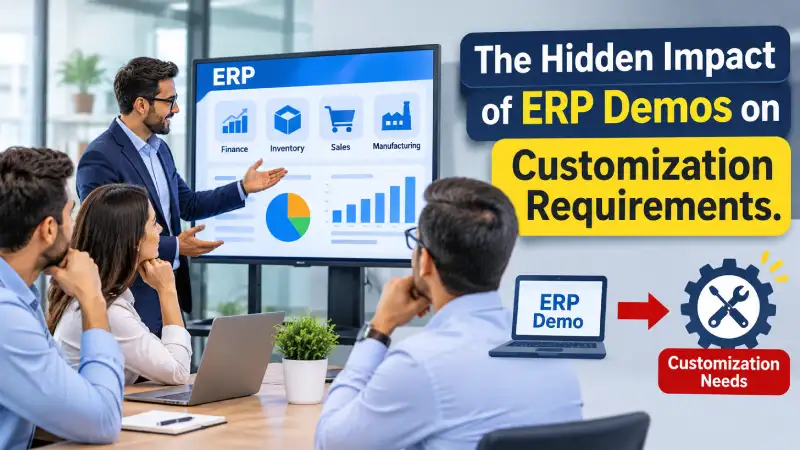
The ERP Demo Went Well. Then the Problems Started.
The ERP demonstration went very well.
The management team was impressed. The screens looked modern. The reports were attractive. The workflow appeared simple.
Sales saw quotations and orders. Finance saw invoicing and accounting. Warehouse saw inventory transactions. Production saw the manufacturing process.
At the end of the demonstration, someone from management said:
“This ERP can handle our requirements.”
The decision was made.
The ERP was selected.
The implementation started.
Then, a few weeks later, the customer asked:
“Why doesn’t our ERP work exactly like the demo?”
The implementation team explained that the demonstration had shown standard functionality and that some of the customer’s specific requirements would need additional configuration or customization.
The customer was surprised.
“But we saw this in the demo.”
This is where one of the most common ERP implementation misunderstandings begins.
The customer remembers what the ERP demonstrated. The implementation partner remembers what was included in the project scope.
Sometimes those two things are not the same.
This does not necessarily mean that the vendor deliberately misled the customer. It also does not mean that the customer misunderstood everything.
In many cases, the real problem is much simpler:
The ERP demonstration was treated as a promise of the final implementation instead of evidence of the product’s capabilities.
That difference can create unrealistic expectations, customization requests, commercial disagreements and project delays.
And after working on ERP implementations for many years, I have seen this situation more than once.
An ERP Demo Is Not the Same as an ERP Implementation
This is the first distinction every ERP buyer should understand.
An ERP demo answers a question such as:
“What can this ERP do?”
An ERP implementation answers a much more complicated question:
“How will this ERP be configured, extended, integrated, populated with our data and used to run our actual business?”
Those are very different questions.
During a demonstration, the vendor normally controls the environment.
The data is prepared.
The scenario is known.
The presenter knows which buttons to click.
The workflow has been rehearsed.
The demonstration usually follows a logical sequence.
Real business operations are rarely that clean.
A real transaction may involve:
- Missing information
- Incorrect information
- Approval exceptions
- Partial receipts
- Rejections
- Returns
- Multiple warehouses
- Multiple organizations
- Special pricing
- Quality inspection
- Accounting requirements
- External integrations
- User permissions
- Exceptional business situations
This is why a successful demo does not automatically mean that the entire business process is ready for implementation.
A good ERP demonstration should help buyers understand what the product can do. But the buyer also needs to understand how the demonstrated capability will actually be delivered in the project.
That distinction is important because current ERP implementation guidance also emphasizes clear requirements, realistic scope, configuration before unnecessary customization, and rigorous validation before go-live.
Why Customers Say “But We Saw It in the Demo”
Imagine a manufacturing company evaluating three ERP systems.
During the demonstration, Vendor A shows its production planning process.
The presenter enters demand.
The ERP calculates material requirements.
The system generates planned procurement and production activities.
The management team is impressed.
Someone asks:
“Can the ERP handle our production planning?”
The answer is:
“Yes.”
The company selects the ERP.
Three months later, during implementation, the production team explains that their actual process is more complicated.
They have:
- Multiple production locations
- Different warehouses
- Semi-finished products
- Alternate materials
- Outsourced operations
- Specific approval requirements
- Special planning rules
Now the implementation team says:
“Some of these requirements are outside the standard process shown during the demo.”
The customer responds:
“But you demonstrated MRP. We saw it working.”
Both statements may be true.
The ERP does have MRP.
The ERP can demonstrate MRP.
But that does not necessarily mean that the customer’s exact MRP process is available without additional configuration or development.
This distinction should have been made much earlier.
What Does “Yes, the ERP Can Do It” Actually Mean?
When a customer asks:
“Can your ERP do this?”
there can be several very different answers.
1. Yes — Standard Functionality
The ERP already supports the requirement as part of its standard functionality.
No development is required.
2. Yes — With Configuration
The ERP can support the requirement, but certain settings, workflows, rules or master data need to be configured.
This may still be part of the normal implementation.
3. Yes — With Customization
The ERP can be extended to meet the requirement, but additional development is necessary.
That may affect:
- Cost
- Timeline
- Testing
- Maintenance
- Future upgrades
4. Yes — With Integration
The ERP itself may not provide the complete capability, but it can work with another application or service.
For example:
- Banking integration
- E-commerce integration
- Payroll system
- CRM
- Tax platform
- External warehouse system
5. Not Yet Proven
This answer is often overlooked.
The vendor believes the requirement can be achieved, but it has not actually been demonstrated or technically validated.
That is very different from saying:
“It works.”
During ERP selection, these categories should not be treated as the same.
The Dangerous Word in an ERP Demo: “Yes”
One of the most dangerous words in an ERP demonstration is:
“Yes.”
A customer asks:
“Can the system handle this?”
The salesperson says:
“Yes.”
The customer moves on.
Six months later, the customer discovers that the answer actually meant:
“Yes, with customization.”
Or:
“Yes, with an additional module.”
Or:
“Yes, with an integration.”
Or:
“Yes, our technical team can develop it.”
Or even:
“Yes, it should be possible.”
The customer heard:
“Yes, this is part of the ERP.”
That difference can become expensive.
Therefore, during an ERP demo, don’t just record the answer.
Record how the requirement will be delivered.
One Question That Can Prevent a Major Dispute
Whenever the vendor demonstrates an important requirement, ask:
“What exactly is required for us to reproduce what you have just demonstrated in our implementation?”
This simple question can uncover a lot.
The vendor should explain whether the requirement needs:
- Standard functionality
- Configuration
- Master data
- Additional module
- Third-party software
- Integration
- Custom development
- Additional license
- Additional implementation effort
- Customer-side preparation
Then ask:
“Is everything required for this scenario included in your commercial proposal and implementation scope?”
Now the demonstration becomes much more useful.
The objective is no longer:
“The ERP can do it.”
The objective becomes:
“We understand what it takes to make the ERP do it for our organization.”
That is a much safer basis for ERP selection.
Real-Life ERP Implementation Example
Let me share a situation that closely reflects what happens in many ERP projects.
A customer selected an ERP after a successful demonstration.
During the demo, the vendor showed:
- Purchase requisition
- Purchase order
- Goods receipt
- Inventory
- Sales
- Production
- Accounting
- Reports
The customer was satisfied.
The implementation contract was signed.
The first phase was planned around standard functionality, with customization outside the agreed scope.
The implementation team started configuring the system.
Then the actual business users became involved.
The purchase department said:
“We need another approval level.”
Production said:
“Our production process is different.”
Warehouse said:
“We need another way of handling inventory.”
Finance said:
“This invoice needs a different accounting treatment.”
Management said:
“We need this report in a different format.”
Then came the statement:
“But we saw this in the demo.”
The implementation team went back to the demonstration and explained what had actually been shown.
The customer then explained that they had assumed the demonstrated behaviour would be available for their actual business process.
Now the project had a problem.
The customer expected the requirement to be part of the implementation.
The implementation partner considered it additional work.
The vendor needed to analyze whether the requirement could be handled through configuration or required customization.
Commercial discussions started.
Development estimates were prepared.
The customer questioned the additional cost.
The implementation timeline began to move.
What started as a successful ERP demonstration had eventually created an expectation that the project team now had to manage.
Where Did the Problem Actually Start?
It is easy to blame one side.
The customer might say:
“The vendor showed us the functionality.”
The implementation partner might say:
“That functionality was not included in the scope.”
But the real problem often started before the contract was signed.
The requirement was not clearly classified.
Nobody documented whether the demonstrated capability was:
Standard → Configuration → Extension → Customization → Third Party → Not Yet Proven
That missing classification created ambiguity.
This is why fit-gap analysis is so important.
Requirements should be identified and compared with the ERP’s standard capabilities before implementation decisions are finalized.
The goal is not to eliminate every gap.
The goal is to know which gaps exist and how they will be addressed.
A Demo Should Answer Business Questions, Not Just Show Screens
One mistake I often see is that customers allow the ERP vendor to control the entire demonstration.
The vendor says:
“Let me show you our ERP.”
The vendor opens the dashboard.
Then the customer master.
Then the product master.
Then the sales order.
Then the purchase order.
Then a report.
Everything looks good.
But the customer may still not know whether the ERP can actually handle the business.
Instead, the customer should say:
“Let us show you how our business works.”
For example, a manufacturing company should not simply ask:
“Do you have manufacturing?”
It should explain a real scenario:
“We manufacture Product A using three raw materials and one semi-finished component. Two components come from our own production unit, one is purchased, and some operations are outsourced. We have three warehouses and production happens at two locations. Show us how this process will work.”
That is a much more meaningful ERP demonstration.
The same principle applies to procurement.
Instead of asking:
“Do you have purchase orders?”
Ask:
“We raise purchase requisitions, route them through department and management approval, compare multiple suppliers, create purchase orders, receive material in a quality inspection warehouse, accept or reject the material, and then process the supplier invoice. Show us the complete process.”
Now the vendor has to demonstrate the business process—not just a screen.
Show the Vendor Your Real Business Scenario
If you are evaluating an ERP, prepare your most important business scenarios before the demo.
For a manufacturing company, these might include:
Procurement
Purchase requisition → approval → supplier selection → purchase order → receipt → quality inspection → invoice.
Sales
Quotation → approval → sales order → credit check → delivery → invoice → payment.
Manufacturing
Demand → MRP → planned production → production order → material issue → production execution → finished goods receipt → costing.
Inventory
Receipt → inspection → warehouse transfer → consumption → adjustment → stock valuation.
Finance
Transaction → accounting posting → reconciliation → period closing → financial reporting.
Job Work
Material issue to vendor → job work processing → receipt from vendor → quality inspection → consumption/output accounting → vendor invoice.
When the vendor sees these scenarios, the conversation becomes much more meaningful.
Current ERP demo guidance similarly recommends using realistic business scenarios, including exceptions, controls and end-to-end process flows, rather than relying only on generic feature demonstrations.
Don’t Demonstrate Only the Happy Path
This is another important lesson from ERP implementations.
A demo usually shows the happy path.
For example:
Purchase Order → Goods Receipt → Invoice
Everything works.
But real business asks different questions:
- What if only 70% of the quantity is received?
- What if the material fails quality inspection?
- What if the supplier sends excess quantity?
- What if the purchase order price changes?
- What if the invoice quantity is different?
- What if approval is rejected?
- What if the user does not have permission?
- What if the transaction needs to be reversed?
- What happens to accounting?
The exception often tells you more about the ERP than the normal transaction.
Therefore, during an ERP demo, don’t only ask:
“Can you show us how this works?”
Also ask:
“Can you show us what happens when this goes wrong?”
That is where the real capability of an ERP starts becoming visible.
Possible vs. Available
There is another subtle but important distinction.
A requirement may be possible without being available.
For example:
“Can the ERP calculate this special production cost?”
The vendor says:
“Yes, we can develop that.”
Technically, the requirement may be possible.
But the customer may have heard:
“The ERP supports this.”
Those are not the same statement.
A useful classification is:
| Status | Meaning |
| Available | Functionality exists today |
| Configurable | Functionality exists but needs setup |
| Extensible | Platform provides a mechanism to extend it |
| Customization | Additional development is required |
| Integration | Another system or service is required |
| Planned | Vendor intends to provide it later |
| Possible | Requirement can potentially be developed but is not currently available |
This simple classification can prevent a surprising number of misunderstandings.
Why Demo Features Become Customization Expectations
There are several reasons this happens.
1. The Demo Uses a Generic Scenario
The vendor demonstrates a standard process.
The customer assumes their process will work identically.
2. The Demo Environment Is Already Configured
The customer does not see the configuration effort behind the scenes.
3. The Demo May Include Extensions
A vendor may demonstrate functionality delivered through an extension, add-on or integration.
If this is not explained, the customer may assume it is part of the core ERP.
4. The Demo Doesn’t Show Exceptions
The normal transaction works perfectly.
The difficult business case is not demonstrated.
5. Sales and Implementation Conversations Are Different
The sales team focuses on what the product can achieve.
The implementation team later has to determine how it will actually be delivered.
6. Requirements Were Not Documented
Everyone remembers the demonstration differently.
Without written evidence, disagreements become difficult to resolve.
That is why a clear requirements document, fit-gap analysis and implementation scope are important safeguards against scope creep. ERP implementation guidance consistently emphasizes documented scope and controlled change management.
The Demo-to-Implementation Expectation Gap
I often think about this problem as an expectation gap.
It looks like this:
What the vendor demonstrates
↓
What the customer understands
↓
What the customer expects
↓
What the contract says
↓
What the implementation team actually delivers
If these five things are not aligned, problems are likely to appear.
For example:
Demo:
“This production planning functionality is available.”
Customer understanding:
“Our production planning process is supported.”
Expectation:
“We don’t need customization.”
Contract:
“Standard MRP functionality included.”
Implementation reality:
“Our specific planning rules require additional configuration or development.”
Now the disagreement begins.
The solution is to close this gap before the contract and before implementation, not after the project has already started.
How to Make an ERP Demo More Useful
The answer is not to make demonstrations longer.
The answer is to make them more focused.
Before the demo, the customer should prepare a list of critical business scenarios.
Don’t ask the vendor to demonstrate 200 features.
Ask the vendor to prove the 10–20 scenarios that matter most to your business.
For every scenario, record:
- What was demonstrated?
- Was it standard?
- Was configuration required?
- Was an additional module required?
- Was integration required?
- Was customization required?
- Was it actually demonstrated?
- Is it included in the proposed scope?
- Is it included in the quoted price?
- What assumptions were made?
This creates a much stronger foundation for ERP selection.
A Simple ERP Demo Classification
During the demo, maintain a simple table:
| Business Requirement | Demo Result | Delivery Method | Scope Status |
| Purchase approval | Demonstrated | Configuration | Included |
| Multi-location inventory | Demonstrated | Standard | Included |
| Special production calculation | Not demonstrated | Custom development | To be evaluated |
| Customer-specific pricing | Demonstrated | Configuration | Included |
| External integration | Partially demonstrated | Integration | To be confirmed |
| Management report | Demonstrated | Reporting | Included |
This simple document can become extremely valuable later.
It provides a record of what was actually demonstrated and what still requires clarification.
It also gives the implementation team a better starting point.
Ask the Vendor: “What Did You Not Show Us?”
This is one of my favourite questions during an ERP evaluation.
After the vendor finishes the demonstration, ask:
“What important requirement did we ask about that you have not demonstrated today?”
This gives the vendor an opportunity to be transparent.
A good ERP selection process should not be about forcing the vendor to make everything look perfect.
It should be about identifying uncertainty.
Every ERP has strengths.
Every ERP has limitations.
The objective is to understand whether those limitations matter to your business.
Don’t Let the Demo Become the Contract
This is extremely important.
The demo, proposal and implementation scope should tell the same story.
If the vendor demonstrated a special report, ask:
“Is that report included in the implementation scope?”
If an integration was demonstrated:
“Is the integration included?”
If a customization was demonstrated:
“Is development included?”
If an additional module was used:
“Is its license included?”
If a special environment was used:
“Is that environment part of the proposed solution?”
The demonstrated solution and the contracted solution should not quietly become two different systems.
A demo is evidence.
A proposal defines the commercial offer.
The implementation scope defines responsibilities and deliverables.
Those three should be reconciled before the project starts.
The Customer Also Has a Responsibility
It is easy to put all responsibility on the ERP vendor.
But customers also have an important role.
The customer should not attend a demo simply to see what looks impressive.
The customer should arrive with:
- Business processes
- Critical requirements
- Difficult scenarios
- Expected reports
- Integration requirements
- Regulatory requirements
- User roles
- Organizational structure
- Manufacturing scenarios
- Approval requirements
The more clearly the customer explains the business, the more meaningful the ERP demonstration becomes.
A vendor cannot demonstrate a requirement that the customer has never explained.
The customer should also avoid assuming that every feature shown is automatically part of the implementation.
Ask questions.
Document answers.
Confirm scope.
The Implementation Partner Has a Responsibility Too
The implementation partner also has an important responsibility.
If the vendor knows that a demonstrated feature requires additional development, it should be clearly explained.
Instead of saying:
“Yes, we can do it.”
The better answer is:
“Yes, the business requirement can be achieved, but your specific scenario will require customization. Let us explain the effort and impact.”
That is much more transparent.
Likewise, if the ERP already supports the requirement through configuration, the customer should be told that as well.
The objective should be to create the right expectation before implementation begins.
Good ERP implementation practice also emphasizes controlling customization because unnecessary custom development can increase complexity, cost and upgrade risk.
What Should Be Asked After Every Important Demo?
I recommend asking these questions:
1. What exactly did we see?
2. Is this standard functionality?
3. Does it require configuration?
4. Does it require an additional module?
5. Does it require an integration?
6. Does it require custom development?
7. Is that work included in the quoted price?
8. Is it included in the implementation scope?
9. What customer data or setup is required?
10. What happens if our business scenario is more complicated than the demo?
11. What are the limitations?
12. Can you demonstrate the exception scenario?
These questions can significantly improve the quality of the ERP selection process.
My Real-Life Lesson From ERP Implementations
After working on ERP implementations for many years, one lesson has stayed with me:
The most dangerous sentence in an ERP project is not “We cannot do it.” It is “Yes, we can do it” without explaining how.
A customer needs to know what “yes” means.
Does it mean:
Standard?
Configuration?
Customization?
Integration?
Third-party product?
Additional license?
Additional implementation effort?
Future development?
The answer matters.
I have seen projects where the customer believed a requirement was part of the standard ERP because it had been demonstrated during the sales process.
During implementation, the functional team discovered that the customer’s exact requirement was different.
The lesson is not that ERP demonstrations are bad.
Quite the opposite.
A good ERP demo is extremely valuable.
But it should create understanding, not assumptions.
The Best ERP Demo Is Not the Most Impressive One
An ERP demonstration should not be judged by how attractive the dashboard looks.
It should not be judged by how many screens the presenter can show in two hours.
It should not be judged by how quickly a sales order can be entered.
The most useful demo is the one that answers the customer’s important business questions.
A strong ERP demo should help you understand:
- What the ERP already supports
- What requires configuration
- What requires customization
- What requires integration
- What is not currently available
- What assumptions have been made
- What the implementation will require
- What is included in the commercial scope
- Where the remaining risks are
In other words:
The best ERP demo is not the one that makes everything look possible. It is the one that makes the implementation reality clear.
Cyprus ERP and Onfinity ERP: Flexibility With a Clear Implementation Approach
When evaluating an ERP, the objective should not be to find software that says “yes” to every requirement.
The objective should be to understand how requirements can be handled.
Cyprus ERP and Onfinity ERP are designed to provide a broad ERP foundation across areas such as procurement, sales, inventory, manufacturing, MRP, finance and other business processes while supporting organizations that require flexibility.
For an ERP evaluation, I believe the important conversation should happen before implementation:
Understand the requirement. Demonstrate the real business scenario. Identify the delivery method. Confirm the scope. Then make the decision.
This approach is particularly important when evaluating an ERP platform that provides configuration and extensibility capabilities.
Cyprus ERP: Why the Model-Driven Approach Matters
One of the areas where Cyprus ERP takes a different approach is its Model-Driven Architecture.
The objective is to provide organizations with more flexibility to adapt the application without treating every change as traditional custom software development.
Depending on the requirement, organizations can work with the application model to create new tables and windows, add fields to existing windows and tables, control field behaviour, define validations and configure business rules.
This changes the conversation around customization.
Instead of asking only:
“Can you customize the ERP?”
a better question becomes:
“Can this requirement be handled through the ERP’s standard functionality, configuration, model-driven capabilities, integration or actual custom development?”
That is a much more useful question.
The goal is not to eliminate customization completely.
There will always be business requirements that need development.
The goal is to avoid developing something unnecessarily when the ERP platform already provides a suitable way to achieve the requirement.
Don’t Just Watch an ERP Demo — Test Your Business Scenario
If you are evaluating Cyprus ERP, Onfinity ERP or any other ERP solution, don’t simply ask the vendor to show you the standard features.
Bring your actual business scenarios.
Tell the implementation team:
- How you purchase
- How you approve purchases
- How you manage inventory
- How you manufacture
- How you handle subcontracting or job work
- How you sell
- How you calculate costs
- How you manage multiple warehouses
- How you handle approvals
- How you generate financial reports
- How your exceptions are handled
Then ask the important question:
“How will this requirement be delivered in our implementation?”
The answer should identify whether the requirement is:
Standard → Configurable → Model-driven/Extensible → Integration → Customization → Not Yet Proven
Then ask:
“Is this included in the implementation scope and commercial proposal?”
That is a much more meaningful ERP evaluation than simply watching a feature presentation.
Five Rules I Recommend for Every ERP Demo
If I had to reduce this entire article to five rules, they would be these:
Rule 1: Don’t evaluate features in isolation
Evaluate complete business scenarios.
Rule 2: Don’t accept “Yes” as a complete answer
Ask whether it is standard, configurable, extensible, integrated or customized.
Rule 3: Test exceptions
The difficult transaction often tells you more than the normal transaction.
Rule 4: Connect the demo to the contract
Anything critical that was demonstrated should be reconciled with scope, cost and implementation responsibility.
Rule 5: Record what you learned
Don’t depend on memory.
Document the requirement, what was demonstrated, how it will be delivered and what remains to be confirmed.
Final Thoughts
An ERP demonstration is an important part of ERP selection.
But a demo is not the implementation.
It is not the contract.
And it is not a guarantee that every business requirement will work exactly as demonstrated.
The purpose of the demo should be to create evidence and understanding, not just excitement.
When the vendor demonstrates a requirement, ask:
“What exactly did we see?”
Then ask:
“How will this work in our implementation?”
And finally:
“Is everything required to deliver it included in the scope and commercial proposal?”
These three questions can prevent many ERP implementation misunderstandings.
The next time someone says:
“We saw it in the demo.”
the right response should not immediately be:
“Yes, therefore it is included.”
or:
“No, that was only a demo.”
The better response is:
“Let’s go back to the requirement, understand exactly what was demonstrated, determine how it will be delivered, and confirm what was agreed in the implementation scope.”
That is how an ERP demonstration becomes a useful foundation for a successful implementation rather than the beginning of a customization dispute.
Looking for an ERP That Is Flexible Without Making Every Requirement a Customization?
Choosing an ERP is not only about counting features.
It is about understanding how those features will actually support your business.
When evaluating an ERP, ask:
- What is standard?
- What can be configured?
- What can be extended?
- What requires customization?
- What requires integration?
- What is included in implementation?
- What will require additional cost?
- What will affect future maintenance?
- What will happen when the business process changes?
Cyprus ERP and Onfinity ERP provide a broad ERP foundation while supporting organizations that need flexibility across their business processes.
If you are evaluating an ERP, don’t just ask us to show you the standard features.
Bring us your real business scenario.
Tell us how you purchase, manufacture, sell, manage inventory, calculate costs and handle approvals.
We can then evaluate the requirement and explain whether it can be handled through:
Standard functionality → Configuration → Model-driven capabilities → Integration → Customization
That is a much more meaningful ERP demo.
Don’t just watch an ERP demo. Test your business scenario.
About the Author
Surya Sagar is an ERP Solution Architect and implementation professional with more than 19+ years of experience in ERP consulting and implementation. He has worked on more than 100+ ERP projects across different industries, with hands-on experience in Procurement, Sales, Inventory, MRP, Manufacturing, Finance, Costing and Project Management.
His experience comes not only from designing ERP solutions but also from dealing with the practical challenges that occur during real implementations—including requirement gathering, ERP demonstrations, fit-gap analysis, customization decisions, UAT, data migration, costing, user adoption and go-live.
Surya is associated with Cyprus ERP and Onfinity ERP, working on ERP product architecture, implementation methodology and industry-specific business solutions.
One lesson he has learned through ERP implementations is simple:
A successful ERP project starts with a shared understanding of what the business needs, what the ERP actually provides, and what it will take to bridge the gap.
The better those three things are understood before implementation, the fewer surprises the project is likely to face later.


