Artificial Intelligence | ERP Software | Custom Software Development | Total Cost of Ownership
A few years ago, when a manufacturing company wanted to develop its own business software, the first question was usually about the development budget.
How many developers would be required? How many months would it take? What would be the cost of developing the application? Would the company need a project manager, database administrator and testing team?
Software development was expensive, and many small and medium-sized businesses could not afford to build applications specifically for their requirements.
Today, the situation is changing.
With AI-powered coding tools, developers can describe a requirement in simple language and generate application code within minutes. A purchase management screen, inventory application, sales dashboard or even a basic accounting module can be developed much faster than before.
Naturally, business owners have started asking a different question:
“Why should we spend lakhs of rupees developing software when AI can do most of the coding?”
It is a fair question.
AI has genuinely reduced the effort involved in software development. It has made technology more accessible and given smaller businesses an opportunity to experiment with applications that were previously too expensive to build.
But there is something many businesses are not considering.
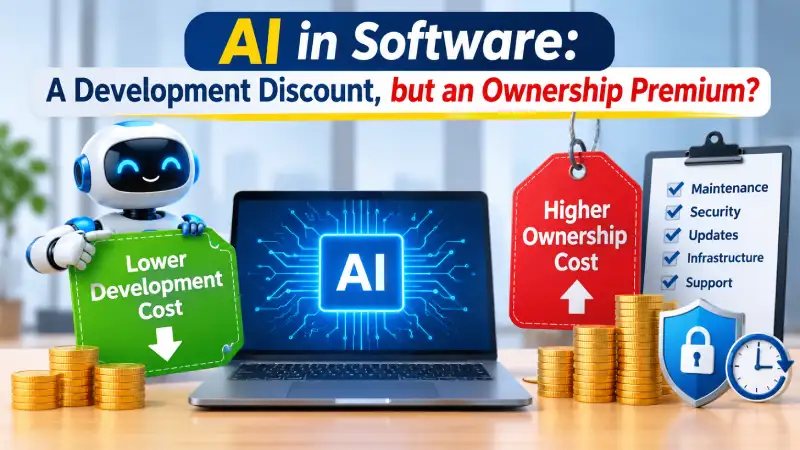
The cost of developing software and the cost of owning software are two completely different things.
Imagine a company spending ₹2 lakh to develop an application using AI. The application works, employees start using it and management feels that it has saved a significant amount of money.
But what about the next five years?
Who will maintain the application? Who will handle security updates? Who will manage database performance? What happens when the company opens another manufacturing unit? Who will integrate the application with banking, taxation or other business systems?
And what happens when the original developer is no longer available?
These questions matter because software is not something a business develops once and then forgets. It becomes part of daily operations.
After more than 19+ years of working with ERP systems and participating in over 100 ERP implementations, I have seen that the real investment in business software goes far beyond development. Understanding business processes, maintaining data accuracy, supporting users and ensuring that different departments work together are equally important.
Let’s understand why cheaper software development does not necessarily mean cheaper software ownership.
1. AI Has Changed the Economics of Software Development
There is no doubt that AI has changed the way software is developed.
Earlier, a company wanting to build an inventory management application had to go through several stages.
First, a business analyst would understand the requirements. A developer would design the database and develop the application screens. Another developer might work on the backend. The application would then go through testing before being deployed.
Even a relatively simple application could take several weeks or months.
Today, AI coding assistants can help developers complete many of these activities much faster.
For example, a developer can provide the following instruction:
“Create an inventory management application with product masters, multiple warehouses, goods receipts, material issues, stock transfers and inventory reports.”
AI can generate an initial application structure, database tables, screens, SQL queries and business logic. The developer can then review the generated code, make corrections and extend the functionality.
The same approach can be used for:
- Customer Relationship Management (CRM).
- Purchase and sales management.
- Employee management.
- Expense management.
- Production tracking.
- Inventory dashboards.
- Customer portals.
- Vendor management applications.
This is a significant improvement.
However, generating code is not the same as delivering a complete business solution.
Creating a purchase order screen is relatively straightforward. But ensuring that the purchase order follows the correct approval process, considers vendor pricing, manages partial receipts, handles rejected material and generates the correct financial impact requires much deeper business understanding.
AI has reduced the effort required to write code. It has not eliminated the responsibility of designing and operating reliable business systems.
And this is where the real cost discussion begins.
2. Development Cost Is Only One Part of Software Ownership
When businesses evaluate software, they often focus on the initial investment.
They compare the quotation received from an ERP vendor with the cost of hiring a developer or using AI coding tools.
But this comparison is incomplete.
Consider a company that develops its own inventory application. The developer completes the application, and the company starts using it. Initially, everything appears to be working.
After six months, the business wants to introduce batch tracking. After another three months, the finance department asks for inventory valuation. Later, management wants integration with the accounting system.
Each change creates additional work.
The company now needs to spend money on several areas:
1. Development: Building the initial application and adding new functionality.
2. Implementation: Configuring the application according to the company’s actual business processes.
3. Maintenance: Correcting errors and keeping the application operational.
4. Infrastructure: Paying for servers, cloud hosting, storage, networking and related services.
5. Security: Managing access controls, security patches, monitoring and data protection.
6. Upgrades: Updating the technology stack, database, libraries and application framework.
7. Support: Helping employees resolve operational problems and understand the application.
8. Integration: Connecting the application with banks, payment gateways, taxation systems, e-commerce platforms and other software.
9. Data management: Maintaining backups, managing historical records, ensuring data quality and preparing recovery procedures.
10. Business continuity: Ensuring that the business can continue operating when technical problems occur.
These costs continue throughout the software’s lifetime.
This is why businesses should evaluate the Total Cost of Ownership (TCO) rather than considering only the initial development budget.
To understand how quickly these additional requirements can appear, consider a manufacturing company that starts with what seems to be a simple inventory application.
3. A Manufacturing Example: The Application Was Cheap, but the Business Requirements Were Not
Imagine a company manufacturing industrial pumps.
The company initially needs an application to manage raw material inventory. Management decides to build the application using AI.
The initial version contains:
- Product master.
- Warehouse master.
- Goods receipt.
- Material issue.
- Stock transfer.
- Inventory reports.
The application is developed quickly, and the initial investment is relatively low.
After a few months, the production manager starts asking questions:
“Can we maintain a Bill of Materials (BOM) for every finished product?”
“Can the system calculate the required raw materials based on production quantities?”
“Can we issue material against production orders?”
“Can we track work in progress?”
“Can we record rejected production quantities?”
The purchase manager has another set of requirements:
“Can we generate purchase requisitions based on material shortages?”
“Can we maintain different prices for different vendors?”
“Can we allocate purchase quantities between multiple suppliers?”
The finance manager wants something different:
“Can we calculate inventory valuation using weighted average costing?”
“Can we include freight and other landed costs in material valuation?”
“Can inventory transactions automatically generate accounting entries?”
Now management realizes that the original inventory application needs to become a much larger business system.
The company has two choices. It can continue adding functionality to the existing application, or it can evaluate an established ERP solution.
The initial application may have cost only ₹2 lakh, but the company now needs to invest much more to develop the missing business processes.
This situation is not unusual.
Businesses often start with a small application because it appears inexpensive. But once they understand the actual requirements of procurement, inventory, manufacturing and finance, the scope becomes much larger.
The problem is not that AI failed to develop the application. The problem is that the business initially underestimated what the application needed to do.
4. The Hidden Costs That Appear After Software Goes Live
The most important expenses are often not visible during the development stage. They become clear only after employees start using the application in actual business operations.
Let’s look at some examples.
4.1 Infrastructure and Hosting Costs
A newly developed application may initially run on a small server. The company has only a few users and a limited amount of data.
But as the business grows, the situation changes.
More employees start using the application. Transaction volumes increase. Reports become larger. Additional warehouses and organizations are added.
The company may need more server capacity, database resources, storage and backup infrastructure.
If the application was not designed properly, even increasing server capacity may not solve performance problems.
The business now needs technical resources to examine database queries, application architecture and system performance.
4.2 Integration Costs
Most businesses do not operate using a single application.
They may use separate systems for:
- Banking and payment processing.
- E-commerce.
- Payroll.
- Customer portals.
- Vendor portals.
- Logistics.
- Taxation.
- Business intelligence.
Suppose a company develops its own sales application using AI. Initially, it works independently.
Later, management wants sales orders from its e-commerce website to be transferred automatically into the application.
Then it wants invoices to be shared with customers through email or WhatsApp. The finance team wants bank transactions to be reconciled automatically.
Every integration requires development, testing and maintenance.
There is also a dependency on external services. If a third-party provider changes its API, the integration may stop working until the application is updated.
These are recurring ownership costs that are easy to overlook during initial development.
4.3 Data Migration and Data Accuracy
Suppose a company has been maintaining its business information in Excel for several years. It decides to move to an AI-developed application.
The developer creates import functionality, and the company starts uploading product, vendor and customer information.
But the Excel files contain duplicate products, incorrect units of measurement, missing vendor details and inconsistent opening stock quantities.
The application may successfully import the data, but that does not mean the data is correct.
The company needs to clean, validate and reconcile the information.
For an ERP implementation, data migration is an important activity because incorrect opening balances can affect inventory, accounting and operational reports.
AI can help identify duplicate records and prepare data transformation scripts. However, the business must still validate the final information.
4.4 Training and User Support
Software is useful only when employees know how to use it correctly.
Imagine the warehouse team has been using Excel for stock management for ten years. Now the company introduces a new application.
Employees need to understand goods receipts, material issues, warehouse transfers, batch tracking and stock adjustments.
If the application does not match the actual business process, employees may find workarounds. They may start maintaining separate Excel files again.
The business ends up paying for the application while continuing to depend on manual processes.
Training, documentation and user support are therefore important parts of software ownership.
5. What Happens When the Business Changes?
One of the biggest reasons software ownership becomes expensive is that business requirements never remain the same.
A company that manufactures products today may start importing raw materials tomorrow. It may open a second manufacturing unit next year. Later, it may introduce a distribution network or begin selling through online channels.
The software must grow with the business.
Consider a company that initially operates from one manufacturing location. The inventory application is designed for one warehouse.
After two years, the company opens three additional locations.
Now it needs:
- Multiple warehouse management.
- Inter-warehouse transfers.
- Location-wise stock valuation.
- Organization-wise reporting.
- Centralized purchasing.
- Different approval hierarchies.
- Consolidated financial reports.
The original application may not have been designed to support these requirements.
The developer must now change the database structure, transaction logic and reporting architecture. Sometimes, the changes are more expensive than developing the original application.
This is why scalability and flexibility should be considered during the initial design.
A business should not ask only whether the application meets today’s requirements. It should also ask whether the application can support the business five years from now.
6. Real-Life ERP Implementation Experience: Why Small Functional Gaps Become Expensive
During ERP implementations, I have observed that customers initially focus heavily on the screens they want.
They ask for purchase orders, goods receipts, stock reports, production screens and invoice formats.
But when we start discussing the actual business processes, more detailed requirements emerge.
Consider a manufacturing company operating three production units under one legal entity.
The first unit manufactures semi-finished goods. The second unit uses those goods for final assembly. The third unit manufactures certain components that are also consumed by the second unit.
During ERP discussions, the customer may initially describe the requirement as:
“We need to manage inventory and production across three units.”
This sounds straightforward.
But when we start understanding the actual process, several questions arise:
- Should each unit have a separate warehouse?
- How should material move between units?
- Should inter-unit transfers generate accounting entries?
- Can one unit raise a production requirement for another unit?
- How should MRP identify the source of supply?
- How should the system calculate material shortages?
- Should production planning consider the routing and capacity of each unit?
- How should costs be allocated between the units?
A simple requirement for multi-unit inventory management has now become a complete manufacturing and planning discussion.
The complexity increases further when we consider the departments involved.
The production team needs material availability. The purchase team needs to know which materials must be procured and when. The warehouse team must manage receipts, issues and transfers. The finance team needs correct inventory valuation and accounting entries. Management needs reports that show the performance of each unit.
A change in one area can affect several other areas.
For example, changing the way material is transferred between units may affect inventory balances, production planning, costing and financial reporting.
This is where ERP experience becomes important.
An experienced consultant understands that the requirement is not limited to creating three warehouses. It involves organization structures, manufacturing processes, material planning, costing and accounting.
If the company builds a small application using AI without considering these dependencies, it may need significant redevelopment when the business expands.
The lesson I have learned from ERP implementations is that the costliest mistakes are often made before development begins, when important business requirements are not properly understood.
The more complex the business process, the more important it becomes to design the right foundation before writing the code.
7. Security, Compliance and Business Continuity Are Part of Ownership
When a company develops its own software, it also becomes responsible for protecting the information stored in that application.
Consider an ERP system containing:
- Customer information.
- Vendor details.
- Purchase prices.
- Sales margins.
- Employee salaries.
- Financial transactions.
- Production costs.
- Business plans.
What happens if an employee accesses information they are not authorized to view?
What happens if someone changes stock quantities without approval?
What happens if the application is affected by a security vulnerability?
What happens if the database server fails?
These situations can affect daily operations and create financial risks.
A business-critical application should have proper controls, including:
- Role-based access.
- User authorization.
- Transaction approval.
- Audit trails.
- Secure authentication.
- Database backups.
- Disaster recovery.
- Security monitoring.
- Controlled software deployments.
There is also the question of compliance.
Depending on the business and the country in which it operates, the software may need to support specific taxation, financial reporting, data protection and record-retention requirements.
AI can help developers implement security controls and generate compliance-related functionality. However, somebody must verify that those controls actually meet the business’s requirements.
Security and compliance are not one-time development activities. They are ongoing responsibilities.
A business should also consider what happens if the application becomes unavailable during a critical business period.
If the warehouse cannot receive material, production cannot issue components or finance cannot process invoices, the impact is not limited to the IT department. It affects the entire organization.
A proper ownership plan must therefore include backup, recovery, support responsibilities and a clear process for restoring business operations.
8. The Cost Nobody Calculates: Management Time and Business Focus
There is another cost that rarely appears in software development quotations: the time spent by business owners and managers managing the software itself.
When a company develops a custom application, management may need to spend time explaining requirements, reviewing changes, checking errors, coordinating developers and resolving operational issues.
The production manager may have to explain why material consumption is not matching the BOM. The finance manager may need to check why inventory valuation is different from the expected figures. The business owner may have to follow up with the developer whenever a critical issue occurs.
This time has a cost.
Consider a business owner who spends several hours every week coordinating software changes instead of focusing on customers, sales, production efficiency or business expansion.
The company may have saved money during initial development, but it is now using valuable management time to keep the application working.
There is also an opportunity cost.
If management spends time resolving software issues, that time cannot be used for improving production capacity, negotiating with suppliers, developing new markets or improving profitability.
This does not mean custom software is always a bad investment. A focused application that solves a specific business problem can save significant time.
But when software starts managing multiple departments and critical business transactions, the company must consider the operational effort required to own and manage it.
The true cost of software includes not only the money spent on technology, but also the time and attention required to keep it useful.
9. A Five-Year Cost Comparison: Build Using AI or Use an Established ERP?
Let’s consider a simple financial example.
A manufacturing company is evaluating two options.
Option A: Develop a custom application using AI.
The company hires a developer who uses AI coding tools to accelerate development.
Option B: Implement an established ERP solution.
The company uses an existing ERP product and invests in implementation, configuration, training and required customization.
For illustration, let’s assume the following costs.
Option A – AI-Assisted Custom Software
| Cost component | Estimated cost |
| Initial development | ₹2,00,000 |
| Annual maintenance | ₹1,20,000 |
| Annual enhancements | ₹60,000 |
| Hosting and infrastructure per year | ₹36,000 |
| Security, backup and upgrades per year | ₹24,000 |
Option B – Established ERP Implementation
| Cost component | Estimated cost |
| Initial implementation and configuration | ₹3,00,000 |
| Annual support | ₹60,000 |
| Annual enhancements | ₹30,000 |
| Hosting and infrastructure per year | ₹36,000 |
| Security, backup and upgrades per year | ₹24,000 |
These figures are hypothetical examples for explaining the comparison. They are not market quotations or verified industry averages. The actual cost of either option depends on the scope, product, number of users, complexity and support arrangements.
Five-year comparison
Assuming the annual costs remain constant:
| Cost component | AI-built software | Established ERP |
| Initial investment | ₹2,00,000 | ₹3,00,000 |
| Five-year maintenance/support | ₹6,00,000 | ₹3,00,000 |
| Five-year enhancements | ₹3,00,000 | ₹1,50,000 |
| Five-year infrastructure | ₹1,80,000 | ₹1,80,000 |
| Five-year security and upgrades | ₹1,20,000 | ₹1,20,000 |
| Total five-year cost | ₹14,00,000 | ₹10,50,000 |
Assumptions: The example assumes the same basic scope of business requirements, with annual costs remaining constant for five years. It excludes taxes, financing costs, downtime losses, management time and other company-specific expenses. It also assumes that the established ERP already provides the required standard functionality and needs limited customization.
What does this comparison tell us?
The custom application has a lower initial development cost, but its ownership cost may become higher over time.
An established ERP may require a higher initial investment, but it can provide standard business functionality that does not need to be developed again.
However, this does not mean that established ERP software is always cheaper.
A heavily customized ERP can also become expensive to maintain. If the business requires extensive changes to standard functionality, the implementation and long-term support costs may increase significantly.
Similarly, a small custom application with a narrow and clearly defined purpose may remain economical over its lifetime.
The right decision depends on the business requirements, the existing functionality, the implementation effort and the long-term support model.
The important point is to compare the five-year cost of ownership, not just the initial development quotation.
10. Why Established ERP Systems Still Make Business Sense
If AI can develop applications faster, why should a business invest in an established ERP?
The answer is simple.
Most businesses do not need to invent new ways of managing procurement, sales, inventory or accounting. These are established business processes.
For example, a manufacturing company generally needs:
- Purchase requisitions.
- Purchase orders.
- Goods receipts.
- Vendor invoices.
- Material issues.
- Production orders.
- Finished goods receipts.
- Customer sales orders.
- Delivery orders.
- Customer invoices.
- Financial accounting.
These processes are common across many industries.
An established ERP may already have these functionalities, along with the business logic connecting them.
For example, when raw material is received, the system updates the inventory balance. When the material is issued to production, the raw material inventory is reduced and work-in-progress is increased according to the configured accounting rules.
When production is completed, finished goods are received into inventory.
When finished goods are delivered, inventory and cost of goods sold are updated.
The important thing is that all these transactions work together.
Developing each screen independently does not automatically create this level of integration.
An established ERP gives businesses a foundation that has evolved through implementation experience and product improvements.
Instead of building everything from scratch, the company can use standard ERP functionality and customize only those areas where its business genuinely requires a different process.
This can reduce unnecessary development and make long-term ownership more manageable.
11. The Better Approach: Combine AI with an Established ERP
The discussion should not be about choosing between AI and ERP. Both can work together.
In fact, AI can make existing ERP systems more useful and efficient.
Here are some practical opportunities.
11.1 AI-Powered Business Reporting
Managers often spend time asking IT teams to prepare reports.
With AI-powered reporting, users can ask business questions in natural language.
For example:
- Which products generated the highest sales margin this month?
- Which vendors have the highest number of delayed deliveries?
- Which raw materials are below their reorder levels?
- Which production orders are delayed because of material shortages?
The ERP maintains the actual business transactions, while AI helps management understand the information.
11.2 Intelligent Demand Forecasting
AI can analyse historical sales, seasonal demand and customer buying patterns.
This information can help businesses prepare better demand forecasts.
The ERP can then use these forecasts as inputs for Material Requirements Planning (MRP), purchase planning and production scheduling.
11.3 Automated Document Processing
Businesses receive hundreds of documents from customers and suppliers.
These include purchase orders, invoices, delivery documents and other business records.
AI can help extract information from these documents and prepare it for entry into the ERP.
The extracted information can then be validated by users before creating financial or inventory transactions.
11.4 AI-Assisted ERP Customization
ERP developers can use AI to speed up:
- SQL query development.
- Report development.
- Screen creation.
- Business logic development.
- Test case generation.
- Code review.
- Technical documentation.
- Error identification.
This helps development teams deliver enhancements more efficiently.
However, every customization must still be reviewed and tested against the existing ERP functionality.
The objective should be to use AI to improve business productivity without unnecessarily duplicating processes that the ERP already handles.
12. Seven Questions to Ask Before Investing in Software
Before deciding whether to build custom software using AI or implement an established ERP, business owners should consider the following questions.
1. What is the actual business requirement?
Are you developing a small application to solve one specific problem, or do you need an integrated system to manage the entire business?
2. What is the five-year cost of ownership?
Have you considered development, implementation, maintenance, hosting, support, upgrades and future enhancements?
3. Who will take responsibility for the software?
Do you have an internal technical team or a reliable external partner who can support the application?
4. Can the software support business growth?
Will it manage additional users, warehouses, manufacturing units, products and transactions?
5. How will business processes be controlled?
Does the application support approvals, audit trails, access permissions and proper transaction validation?
6. Can it integrate with other business applications?
Will it connect with banks, payment gateways, taxation systems, customer portals and other required platforms?
7. What happens when the technology changes?
Who will handle framework upgrades, database migrations, security patches and compatibility issues?
If these questions are not properly answered, the business may be comparing only the cost of building software rather than the cost of owning and operating it.
13. Final Thoughts: Think Beyond the Development Budget
AI has changed the software development industry, and businesses should take advantage of it.
It is now possible to develop applications faster, experiment with new ideas and automate business activities with less development effort.
This is a major opportunity for organizations of all sizes.
However, a lower development cost does not automatically make software cheaper to own.
The real investment includes everything required to keep the application reliable, secure, accurate and useful throughout its lifetime.
For a manufacturing company, an incorrect inventory balance can affect purchasing and production decisions. Incorrect product costing can affect profitability. A failed integration can delay business transactions. A system outage can interrupt operations.
These problems have a financial impact that goes far beyond the original development budget.
Sometimes, developing custom software is the right decision, particularly when the business has unique requirements that existing products cannot adequately support.
In other situations, an established ERP is a more practical option because it already provides the required business processes.
And in many cases, combining an established ERP with AI-powered capabilities can offer the best of both approaches.
As an ERP professional, my recommendation is simple:
Do not select software only because it is cheaper to develop. Select it because it is capable of supporting your business over the long term.
AI may reduce the cost of writing software, but the real value of software is measured by how reliably it supports your business year after year.
How Cyprus ERP and Onfinity ERP Help Businesses Make Smarter Technology Decisions
At BRS Infotek, we believe businesses should invest in technology that supports their operations over the long term rather than repeatedly developing basic business functionality from scratch.
Our focus is on providing integrated ERP solutions that help organizations manage their business processes through a common platform.
Cyprus ERP – Open-Source ERP Without License Costs
Cyprus ERP is an open-source ERP solution based on the ADempiere framework.
It provides integrated business functionality covering:
- CRM and sales management.
- Procurement and purchase management.
- Inventory and warehouse management.
- Material Requirements Planning (MRP).
- Manufacturing and production management.
- Financial management and accounting.
- Fixed asset management.
- Reporting and business intelligence.
Businesses can use Cyprus ERP without paying a software license fee. Their investment is primarily towards implementation, customization, training and ongoing support, depending on their requirements.
Instead of developing every business process independently, organizations can start with an established ERP foundation and extend it according to their actual business requirements.
This approach can help businesses avoid unnecessary development efforts and focus their investment on functionality that makes a real difference to their operations.
Explore Cyprus ERP: https://www.cypruserp.com
Onfinity ERP – An AI-Enabled ERP Platform
Onfinity ERP combines established ERP business processes with AI-enabled capabilities to help businesses manage their operations through an integrated platform.
It supports important business functions such as procurement, sales, inventory management, manufacturing, MRP, finance and other operational requirements.
The objective is to bring business processes together through a common ERP platform while using modern technology to improve efficiency and decision-making.
Explore Onfinity ERP: https://www.brsinfotek.com
Looking for the Right ERP Approach for Your Business?
If your organization is evaluating custom software development, AI-based applications or an ERP implementation, it is worth reviewing the complete business requirement before making a decision.
BRS Infotek can help you understand your business processes, evaluate ERP suitability and identify where standard functionality, customization or AI-assisted capabilities can add value.
Visit BRS Infotek to learn more.
About the Author – Surya Sagar
Surya Sagar is the Founder and ERP Solution Architect at BRS Infotek, with more than 19+ years of experience in ERP consulting, implementation and business process management.
He has been involved in more than 100 ERP implementations across different industries and has extensive experience in procurement, sales, inventory management, Material Requirements Planning (MRP), manufacturing, warehouse management and financial management.
His practical experience working with businesses has given him a deep understanding of the challenges organizations face while selecting, implementing, customizing and maintaining ERP systems.
Through his articles on ERP Pilot, Surya shares practical implementation experiences, ERP knowledge and technology insights to help business owners and decision-makers make informed technology investments.
Connect with BRS Infotek:
- Website: https://www.brsinfotek.com
- Cyprus ERP: https://www.cypruserp.com
- ERP Knowledge and Articles: https://erppilot.com
Choose the right technology. Understand the total cost. Build for the long term.
Don’t calculate what it costs to build software. Calculate what it costs to own it.


