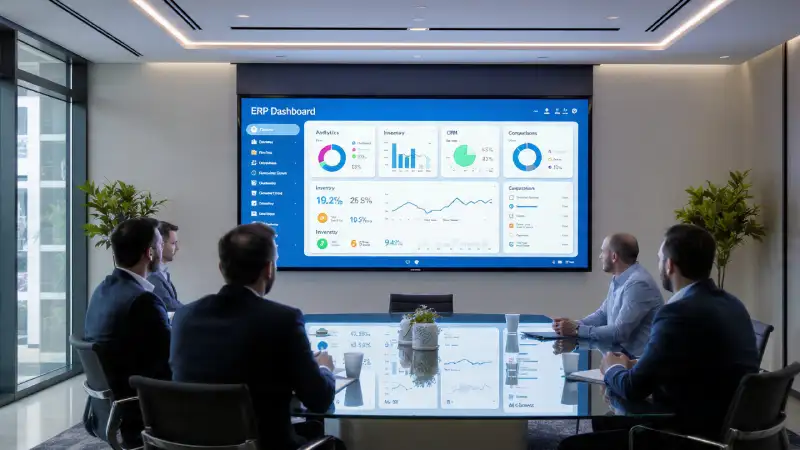
Selecting an ERP system is one of those decisions that can shape the trajectory of a business for years. The right platform becomes the backbone of operations, allowing teams to work faster, make sense of data, reduce manual work, and stay ready for growth. The wrong one, however, drags everyone backward—creating confusion, blowing up budgets, and forcing teams to live with clunky processes they never wanted. And because ERP choices are often made after watching a handful of demos, the way you evaluate those demos matters more than most organizations realize.
An impressive interface or a charismatic presenter might look convincing during a one-hour session, but that doesn’t guarantee the system will work smoothly when employees begin using it every day. The true purpose of a demo isn’t to admire screens—it’s to understand whether the software can actually run your business, support your workflows, and grow with you in the long term.
Real-Life Experience from Product Demonstrations
Back when I was working as part of the ERP sales and implementation team, a big part of my job was giving product demonstrations to prospective customers. Most demos were quite standard — we walked customers through the screens, explained the features, and discussed how different departments could use the system. It was more of a guided tour than a full hands-on operational showcase.
Every now and then, though, we came across customers who didn’t just want to see the product — they wanted to see it in action. They asked us to actually run the processes live during the session. In such cases, we normally scheduled a second demo and made sure that we ran through those same scenarios internally beforehand. The idea was simple: avoid any surprises in front of the customer. To be honest, that’s fairly common practice in the industry.
There were also instances where a module or a feature was still under development or going through quality checks. We still presented it during the demo, but with clear communication that it wasn’t fully ready yet. Sometimes we even missed calling it out, but in my view, transparency with the customer matters more than perfection. If they understand the product roadmap and what is still evolving, the partnership starts on a healthier note.
Unfortunately, not everyone follows the same principle. I’ve seen vendors hide major gaps from customers during demos, fully aware that those functions hadn’t been built yet. Later, once the project is underway, they label the missing features as “change requests” and shift the development cost onto the customer — even though the feature was never part of the working product to begin with. It creates distrust, delays, and unnecessary expense for the buyer, while the vendor benefits from ambiguity.
Experiences like these taught me something important: an ERP demo shouldn’t be a staged performance built around avoiding mistakes. It should be a genuine preview of what the product can do today and what will be delivered tomorrow — with full honesty. That clarity helps customers make informed decisions and protects the long-term relationship far more than a polished but misleading presentation ever could.
Preparation Starts Long Before the Demo Room
Many companies walk into ERP demos hoping to “see what the software can do.” This approach almost always leads to disappointment because vendors naturally highlight the most appealing features—usually the ones that look good in a presentation but don’t solve everyday operational challenges. If you want a meaningful demo, the groundwork must be laid before the vendor shows the first screen.
Start by mapping out the workflows that keep your business running. What steps do your teams follow every day? Where do they slow down? Which tasks still need spreadsheets or manual checks? List the problems that drain productivity—missing data, repetitive entries, delayed approvals, or lack of visibility across departments.
Once you have this clarity, document department-specific needs. Finance, procurement, sales, production, warehouse, HR, and IT rarely share the same priorities. One team may need better reporting while another needs stronger control over approvals or inventory accuracy. A demo becomes far more meaningful when vendors receive this list beforehand and are asked to present scenarios that reflect your real operations.
If your business has compliance requirements, industry-specific rules, or complicated approval chains, include those details as well. And don’t forget integrations. ERPs rarely operate in isolation; they often connect with CRMs, e-commerce platforms, production planning tools, or banking systems. Any vendor who cannot demonstrate a clear path to integration may expose you to costly delays during implementation.
The clearer your expectations are, the more relevant and honest the demo will be. When vendors don’t receive guidance, they rely on generic presentations that hide limitations until it’s too late.
During the Demo: Look Beyond the Pretty Screens
It’s natural to focus on screens, colors, and navigation quality during a demo. A modern interface is important, but usability goes much deeper than how the software looks. What matters is whether your employees will be able to complete daily tasks confidently and without frustration.
One of the simplest ways to judge usability is to ask the vendor to perform real-life processes during the session. Not rehearsed clips or preloaded samples—actual steps performed live. For example:
- Creating a purchase order based on a forecast
- Posting a receipt and matching it with an invoice
- Allocating stock when inventory levels are tight
- Entering a journal and accessing an audit trail
- Running a month-end financial statement
These are everyday actions that determine whether the system is practical, fast, and intuitive. If routine tasks require navigating multiple modules, jumping through confusing steps, or dealing with long loading times, your team will feel the pain during go-live.
Insist on seeing end-to-end flows rather than individual screens. An ERP is supposed to bring processes together—procurement must talk to inventory, inventory must sync with accounting, and sales forecasts should influence planning. A demo that doesn’t cover these connections may not reflect how the ERP will behave in real operations.
Evaluate Flexibility, Not Just Features
Most ERPs boast long feature lists, and vendors often display them proudly. But features alone don’t guarantee success. What truly matters is whether those capabilities can be shaped to match your unique business processes. No company wants to force its teams to change what works just because the software says so.
During the demo, observe how easily the system adapts. Can you modify approval workflows? Is it possible to configure pricing rules or tax setups without custom development? Can managers personalize dashboards? Are user-defined fields available to capture data that’s important to you? The more a system can be configured without special coding, the smoother your implementation will be.
Pay attention to how the vendor responds to your “what if…?” questions. If the answer is often, “That’s not possible,” or “We’ll need a customization for that,” make note of it. The more you rely on custom development, the higher your long-term costs—and the harder upgrades become.
A good ERP fits your business. A weak ERP forces your business to fit it.
Data Migration and Integrations: Don’t Let Vendors Gloss Over the Hard Parts
Two topics are often mentioned briefly in demos but become major hurdles during implementation: migrating data and integrating with other systems.
Before you finish the demo, make sure you understand:
- How your existing data will be cleaned, mapped, and imported
- Whether the vendor provides automated tools or expects manual work
- What integration methods are supported—APIs, web services, connectors
- Whether the ERP plays well with third-party applications
- How data synchronization and security are managed
If these areas are explained vaguely or skipped altogether, request a follow-up session. Smooth data flow is the backbone of ERP success. A system that cannot exchange information reliably with your existing tools will create more work, not less.
Involve End-Users—They See What Leaders Often Miss
Many ERP evaluations are conducted only by senior leadership or a small IT team. While their involvement is essential, they are not usually the people entering purchase orders, matching invoices, reconciling stock, or running production schedules. Real adoption depends on the employees who will use the ERP daily, and their insights during demos are invaluable.
Involve representatives from each department—finance, procurement, stores, HR, manufacturing, sales, and IT. Encourage them to observe whether essential fields are present, whether workflows make sense, and whether the system feels cumbersome. Users often spot gaps that executives don’t notice, such as duplicated work, missing validations, or processes that become slower within the ERP.
When users participate early, change management becomes smoother later. They feel ownership, provide meaningful feedback, and help ensure the chosen system is not only powerful but also practical.
Use a Scoring Model to Compare Vendors Fairly
After watching multiple demos, impressions can blend together. Specifics get forgotten, and decisions become subjective. This is why a structured scoring model is extremely valuable.
Consider rating each vendor on criteria like:
- Functional fit: How closely did the system follow your workflows?
- Ease of use: Did users feel comfortable navigating on their own?
- Flexibility: Can processes be modified without heavy coding?
- Scalability: Will the system support growth in the next decade?
- Support and training: Is the vendor’s help accessible and reliable?
- Implementation timeline: Are the timelines realistic or overly optimistic?
- Total cost of ownership: Beyond licenses, what about integrations, upgrades, and support fees?
This simple framework prevents decision-making based on emotions or a single impressive moment during the demo. It keeps everyone aligned and ensures the chosen ERP meets practical needs rather than aesthetic preferences.
A Good Demo Reflects the Potential for a Good Partnership
Evaluating an ERP demo isn’t about challenging the vendor or trying to catch them unprepared. It’s about building clarity and trust. A vendor who answers transparently—even when acknowledging limitations—is far more reliable than one who promises solutions without explanation.
A strong demo should leave you with confidence in four areas:
- The software supports your operations today
- It has the capacity to scale with your growth tomorrow
- Users will be able to adopt it without overwhelming training
- It will help leadership make faster, data-driven decisions
When a demo meets these expectations, the ERP becomes more than a digital tool—it becomes a strategic partnership. You’re not just choosing a system; you’re choosing a foundation for efficiency, accuracy, and long-term success.
Cyprus ERP & Onfinity ERP: ERP Options for Growing Businesses
BRS Infotek offers two ERP solutions—Cyprus ERP and Onfinity ERP—allowing businesses to choose the platform that best fits their size and operational needs.
Cyprus ERP, developed by BRS Infotek and based on the Adempiere framework, is a cost-effective and customizable ERP solution ideal for SMEs. It offers a web-based interface, flexible deployment, strong manufacturing and costing features, and integrated reporting.
Onfinity ERP is an enterprise-grade solution for organizations with complex processes and scalability needs. BRS Infotek is the legal partner of Onfinity ERP, providing implementation and long-term support.
With Cyprus ERP or Onfinity ERP, businesses can adopt the ERP solution that aligns with their growth strategy.
👉 Learn more: www.cypruserp.com
👉 Learn more: https://onfinity.io/in/demo.php
About the Author
Surya Sagar, Founder and ERP Solution Architect at BRS Infotek, has over 18 years of experience in ERP consulting, implementation, and product architecture.
He has led ERP transformations across multiple industries and regions and plays a key role in driving ERP innovation through both Cyprus ERP and Onfinity ERP implementations.
