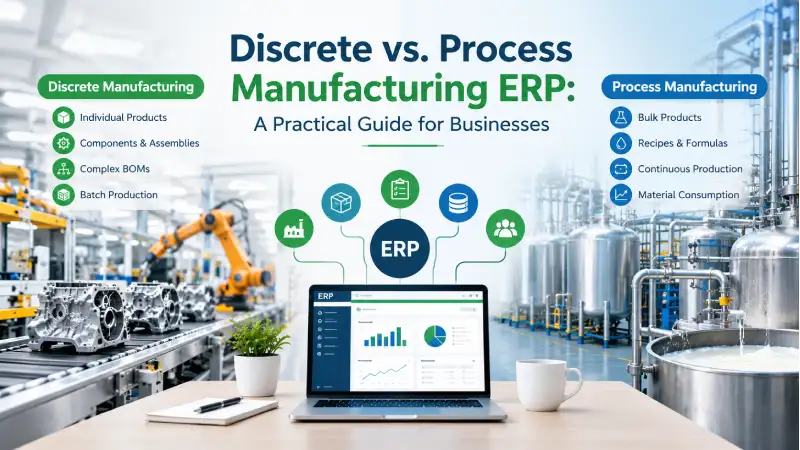
BOM vs. Formula, Assembly vs. Transformation, Co-Products, By-Products — and What It Really Means for Your ERP
When a manufacturing company starts looking for an ERP, one of the first questions I usually hear is:
“Does your ERP support manufacturing?”
It sounds like a reasonable question.
But after more than 19+ years of working on ERP implementations, I have learned that it is not the right question.
Because manufacturing is not one single process.
A company manufacturing industrial machinery does not operate like a flour mill.
An electrical-panel manufacturer does not work like a paint manufacturer.
A company assembling automobile components does not have the same production requirements as a pharmaceutical manufacturer.
Yet all of them are called manufacturers.
That is where the difference between discrete manufacturing and process manufacturing becomes important.
The better question is:
“Does the ERP understand how we actually manufacture our products?”
That one question can completely change the way you evaluate an ERP.
The Difference in 30 Seconds
Before getting into the details, consider these two questions:
1. Can the finished product be taken apart and can identifiable components potentially be recovered?
2. Can one production process naturally produce a main product along with co-products or by-products?
If the answer to the first question is generally yes, you are likely dealing with characteristics of discrete manufacturing.
If the second question is yes, you may be dealing with characteristics of process manufacturing.
It is not a perfect classification for every factory, but it is a very useful way to understand the underlying production model.
| Area | Discrete Manufacturing | Process Manufacturing |
| Basic concept | Assembly | Transformation / processing |
| Primary structure | BOM | Formula / Recipe |
| Inputs | Identifiable components | Ingredients / materials |
| Output | Usually an identifiable product | Batch / processed output |
| Measurement | Pieces, units, assemblies | Weight, volume, concentration, batch |
| Reversibility | Components can often be recovered by disassembly | Original ingredients generally cannot be recovered |
| Co-products | Not normally a core characteristic | Can be a natural output |
| By-products | Not normally a core characteristic | Can be a natural output |
| Yield | Usually more predictable | Can vary by batch/process |
| Traceability | Product, component, serial focused | Lot and batch focused |
This distinction matters because the ERP data model, planning, inventory, costing and production transactions need to reflect what physically happens inside the factory.
What Is Discrete Manufacturing?
Discrete manufacturing is generally about making identifiable products from identifiable components.
Consider an industrial control panel.
It may contain:
- Enclosure
- Control board
- Circuit breakers
- Cables
- Terminals
- Display
- Power supply
- Screws and other hardware
Each component can be identified, stocked and consumed.
The finished product can also be counted.
Suppose the company plans to manufacture:
1,000 Control Panels
The ERP needs to understand:
- Planned quantity
- Component requirements
- Material availability
- Production operations
- Actual consumption
- Work in progress
- Finished quantity
- Rejected quantity
- Production cost
The basic manufacturing relationship is:
Components → Assembly → Finished Product
This is where BOMs, routings, production orders and work orders become central to the ERP.
A Simple Discrete Manufacturing Example
Suppose a machine has the following BOM:
| Component | Quantity |
| Motor | 1 |
| Pump | 1 |
| Control Panel | 1 |
| Bearing | 4 |
| Cable | 5 m |
| Fasteners | 20 |
If the company plans to manufacture 1,000 machines, the ERP can calculate the gross requirements:
- 1,000 motors
- 1,000 pumps
- 1,000 control panels
- 4,000 bearings
- 5,000 metres of cable
- 20,000 fasteners
MRP can then compare these requirements with:
- On-hand inventory
- Open purchase orders
- Existing production orders
- Safety stock
- Lead times
This is a classic discrete manufacturing scenario.
The product is made by bringing together identifiable components.
The Disassembly Test
There is another characteristic of discrete manufacturing that is often overlooked during ERP discussions.
A discrete product can often be disassembled.
Imagine that the finished machine contains a motor, pump, control panel and bearings.
If the company needs to dismantle the machine, it can physically remove those components.
The motor remains a motor.
The pump remains a pump.
The control panel remains a control panel.
Subject to the condition of the components and the company’s inventory rules, selected components may potentially be returned to inventory.
Conceptually, the relationship can therefore work in two directions:
Components → Assembly → Finished Product
and, where applicable:
Finished Product → Disassembly → Components
This is a useful characteristic of discrete manufacturing because the finished product is fundamentally an assembly of identifiable physical parts.
This also creates ERP requirements that are sometimes missed in a standard manufacturing demonstration.
For example:
- Which components can be recovered?
- In what condition?
- At what quantity?
- At what cost?
- Should the recovered component return to unrestricted inventory?
- Should it go to inspection or a specific locator?
- What happens to the cost of the finished product after disassembly?
These are business-process questions—not simply screen-design questions.
What Is Process Manufacturing?
Process manufacturing is fundamentally different.
Instead of assembling identifiable components, the manufacturer combines or transforms materials according to a formula or recipe.
Consider paint.
A batch may contain:
- Resin
- Solvent
- Pigment
- Additives
- Water
These materials are mixed and processed to produce the finished paint.
The basic relationship becomes:
Ingredients → Formula → Processing → Batch Output
Process manufacturing is common in industries such as:
- Food and beverage
- Chemicals
- Pharmaceuticals
- Paints and coatings
- Cosmetics
- Fertilizers
- Dairy
- Flour milling
- Nutraceuticals
Here, production is generally based on a formula, recipe, batch and yield, rather than simply assembling countable components.
Why Process Manufacturing Is Normally Not Reversible
This is one of the clearest differences between the two manufacturing models.
Suppose a manufacturer produces a batch of blue paint using resin, solvent, pigment and additives.
After those materials have been mixed and processed, you cannot normally take the finished paint and recover the original materials separately.
You cannot say:
“Take this finished paint and give me back the original resin, solvent and pigment.”
The materials have been combined or transformed.
The same principle applies to many food, chemical and pharmaceutical products.
You can disassemble a machine and potentially recover its motor and pump.
You cannot normally “disassemble” finished paint, shampoo or processed food and recover the original ingredients in their original form.
That physical difference has a direct impact on ERP design.
BOM vs. Formula: A Critical ERP Difference
This is one of the most important differences from an ERP perspective.
Discrete Manufacturing Uses a BOM
A BOM generally answers:
“What components and quantities are required to manufacture this product?”
For example:
| Component | Quantity |
| Motor | 1 |
| Housing | 1 |
| Bearing | 2 |
| Screw | 10 |
| Terminal Box | 1 |
If production increases from 100 machines to 1,000 machines, the ERP can scale the component requirements accordingly.
This makes BOM-based planning particularly suitable for discrete manufacturing.
Process Manufacturing Uses a Formula
A formula may represent the relative contribution of ingredients.
For example:
| Ingredient | Value |
| Resin | 0.55 |
| Solvent | 0.20 |
| Pigment | 0.15 |
| Additives | 0.10 |
| Total | 1.00 |
But here is an important point:
A formula does not necessarily have to total exactly 1.
Depending on the business requirement, the total component value could be:
Equal to 1
0.50 + 0.30 + 0.20 = 1.00
Less than 1
0.40 + 0.30 + 0.20 = 0.90
Greater than 1
0.60 + 0.30 + 0.20 = 1.10
The correct interpretation depends on the manufacturing formula and business rules.
Yield, process loss, evaporation, shrinkage, additional material, concentration and other manufacturing characteristics can influence how these values are defined.
The important ERP principle is:
The system should not impose an artificial rule that every formula must always total exactly 1.
The manufacturing business should define the meaning.
The ERP should support it.
Co-Products and By-Products: Where Process Manufacturing Gets More Interesting
Another major distinction is that a process can naturally produce multiple outputs.
These may include:
- Main product
- Co-product
- By-product
- Waste
- Process loss
Consider a flour mill.
Suppose the company processes:
1,000 kg of wheat
The process might produce:
- 700 kg flour
- 200 kg bran
- 50 kg another usable product
- 50 kg process loss
Flour may be the main product.
Bran may be treated as a by-product.
Another commercially valuable output may be treated as a co-product, depending on the company’s business model.
The important point is that multiple outputs can be an expected part of the production process.
This is different from the typical discrete manufacturing model, where the production order is primarily intended to create the specified finished product from its components.
Discrete manufacturing can certainly have scrap and waste, but co-products and by-products are not normally the defining structure of the production process.
A Flour Mill Makes the Difference Obvious
Flour manufacturing is a good example because the physical process immediately shows why process manufacturing requires a different ERP perspective.
Suppose 1,000 kg of wheat is processed.
The expected output might be:
700 kg flour + 200 kg bran + 50 kg other product + 50 kg loss
But the actual result may vary.
One batch might produce:
700 kg flour
Another might produce:
715 kg flour
Another might produce:
685 kg flour
The ERP therefore needs to capture:
- Planned input
- Actual input
- Expected output
- Actual output
- Yield
- Process loss
- Quality results
- Batch information
- Inventory
- Production cost
This is not simply a case of multiplying a BOM by a production quantity.
A Paint Manufacturing Example
Now consider a paint manufacturer planning a batch of:
5,000 kg
The formula includes:
- Resin
- Solvent
- Pigment
- Additives
The actual finished output may be:
4,850 kg
The ERP may need to record:
- Planned quantity
- Actual material consumption
- Actual output
- Batch number
- Quality results
- Process loss
- Finished inventory
- Production cost
Again, the ERP needs to represent what actually happened—not simply what was planned.
What This Means for Your ERP
This is where manufacturing classification becomes more than a theoretical discussion.
The manufacturing model affects:
- Product master
- BOM or formula
- MRP
- Production planning
- Production execution
- Material consumption
- Yield
- Quality
- Batch and lot traceability
- Inventory
- Costing
- Disassembly
- Co-products
- By-products
- Accounting
A manufacturing ERP should therefore be designed around the physical reality of production.
The Complete Manufacturing Flow
Manufacturing does not begin when someone creates a Production Order.
A typical manufacturing process may look like:
Demand
↓
MRP / Planning
↓
Material Availability
↓
Purchase / Production Requirement
↓
Production Order
↓
Material Issue
↓
Production Execution
↓
Quality Inspection
↓
Finished Goods
↓
Inventory
↓
Costing & Finance
The ERP’s job is to connect these transactions.
A production module that works in isolation is not enough.
If MRP does not understand inventory, planning becomes unreliable.
If production does not update inventory, stock becomes unreliable.
If costing does not understand production, profitability becomes unreliable.
If finance does not receive the correct accounting impact, management reports become unreliable.
The value of ERP comes from connecting the entire chain.
Is This Your Manufacturing Problem?
Before selecting an ERP, ask yourself these questions:
If you manufacture discrete products:
- Can I identify every major component?
- Do I use BOMs?
- Do I have multi-level BOMs?
- Do I use routings or operations?
- Do I issue components to production?
- Do I track WIP?
- Can finished products be disassembled?
- Can selected components be recovered?
- Do I need serial or batch traceability?
If you manufacture through a process:
- Do I use formulas or recipes?
- Does yield vary between batches?
- Do I measure output by weight, volume or concentration?
- Do I generate co-products?
- Do I generate by-products?
- Do I have process loss?
- Do material characteristics change during production?
- Do I need detailed batch traceability?
- Does quality determine whether the output can be released?
If several of these questions sound familiar, you already have a much better understanding of what your ERP needs to support.
Why “Our ERP Supports Manufacturing” Is Not Enough
During ERP evaluations, I have seen manufacturers accept a demonstration simply because the vendor showed:
- A BOM
- A Production Order
- Material Issue
- Finished Goods
But a real implementation goes much further.
The customer eventually asks:
“Can we track actual consumption?”
Then:
“Can we track production loss?”
Then:
“Can we handle quality approval?”
Then:
“Can we trace the batch?”
Or, in a discrete environment:
“Can we disassemble the finished machine and recover selected components?”
These questions reveal the actual manufacturing model.
That is why I strongly recommend one approach when evaluating manufacturing ERP:
Don’t ask the vendor to demonstrate their ERP. Ask them to demonstrate your factory.
The Practical ERP Selection Test
Take one actual product from your factory.
Give the ERP team:
- Actual BOM or formula
- Actual raw materials
- Production quantity
- Warehouse
- Routing or process
- Actual consumption
- Quality requirements
- Expected output
- Actual output
- Costing requirements
Then ask them to demonstrate:
Demand → MRP → Procurement → Production → Quality → Inventory → Costing → Accounting
Don’t give them a hypothetical example.
Give them the product that your production manager actually struggles with.
That exercise will tell you much more about the suitability of an ERP than a two-hour generic product demonstration.
Production Costing Also Changes
Costing is another area where the manufacturing model matters.
In discrete manufacturing, production cost may include:
Raw Material + Labor + Machine/Activity Cost + Overhead
For example:
- Raw material: ₹500
- Labor: ₹100
- Machine: ₹75
- Overhead: ₹50
Total production cost:
₹725
The ERP can calculate the production-order cost and ultimately the finished-product cost.
But process manufacturing can be more complicated.
Suppose one production batch has a total cost of:
₹100,000
and produces:
- Product A
- Product B
- By-product
The ERP now needs appropriate rules for allocating or assigning production cost across those outputs.
This is one reason process manufacturing often requires more specialized costing capabilities.
Quality and Traceability
Quality exists in both manufacturing models, but the nature of the requirements can differ.
Discrete manufacturing may focus on:
- Dimensions
- Weight
- Electrical testing
- Functional testing
- Visual inspection
- Component quality
Process manufacturing may focus on:
- pH
- Moisture
- Viscosity
- Density
- Purity
- Potency
- Temperature
- Chemical composition
Traceability can also become critical.
For example:
Raw Material Lot → Production Batch → Finished Batch → Customer Shipment
If a raw-material lot is later found to have a quality problem, the manufacturer may need to identify every production batch and customer shipment affected by it.
That is not simply an inventory requirement.
It is a business-risk requirement.
Can One ERP Support Both?
Yes—but the architecture needs enough flexibility to accommodate different manufacturing models.
Imagine a business group with:
Division 1 — Machine Assembly
Discrete manufacturing.
Division 2 — Paint Production
Process manufacturing.
Division 3 — Packaging
Discrete manufacturing.
The company may still want common:
- Customers
- Vendors
- Products
- Finance
- Procurement
- Inventory
- Reporting
while manufacturing follows the appropriate process for each division.
That is one of the important advantages of an integrated ERP platform.
However, “one ERP can support both” should never be interpreted as “every ERP supports both equally well.”
The important question is whether the ERP’s underlying architecture matches the actual manufacturing requirements.
Where Cyprus ERP Fits
This is particularly relevant when discussing Cyprus ERP.
Cyprus ERP currently has a strong focus on discrete manufacturing.
Its core manufacturing model is built around concepts such as:
Product → BOM → MRP → Production Order → Material Consumption → Work Order → Finished Product → Costing
This makes it particularly relevant for businesses such as:
- Machinery manufacturers
- Electrical equipment manufacturers
- Fabrication companies
- Sheet-metal manufacturers
- Automotive-component manufacturers
- Industrial equipment manufacturers
- General assembly businesses
The platform also connects manufacturing with surrounding ERP processes such as procurement, inventory, warehouse management and finance.
There is also flexibility in BOM configuration for formula-oriented requirements where component values can total:
1
Less than 1
or
Greater than 1
depending on the business requirement.
But there is an important distinction that should be made clearly:
Cyprus ERP is presently primarily a discrete manufacturing ERP. It should not be positioned as a complete specialized process-manufacturing ERP simply because its BOM structure can accommodate certain formula-oriented scenarios.
That clarity is important.
Good ERP selection starts with honest understanding of what the system does today.
Where Onfinity ERP Fits
Onfinity ERP follows the broader principle that manufacturing should not operate separately from the rest of the business.
Sales creates demand.
MRP translates demand into requirements.
Procurement obtains materials.
Inventory makes those materials available.
Manufacturing converts them into products.
Quality determines their usability.
Costing determines their value.
Finance records the financial impact.
The strength of an integrated ERP lies in connecting these processes rather than treating production as an isolated application.
For organizations evaluating different ERP approaches, the important exercise is still the same:
Take your real manufacturing process and test it end to end.
What 19+ Years of ERP Experience Has Taught Me
After more than 19+ years in ERP implementation and solution architecture, one lesson has become particularly clear:
Manufacturing ERP is not about the Production Order screen.
The Production Order is only one part of the process.
The real challenge is understanding what happens before, during and after production.
When a customer tells me:
“We need manufacturing.”
I don’t immediately start designing a Production Order.
I first want to understand:
- What triggers production?
- Is the product assembled or transformed?
- What are the inputs?
- What is the output?
- Can the finished product be disassembled?
- Can the process produce co-products or by-products?
- How is yield measured?
- How is quality controlled?
- How is material consumption recorded?
- How is production cost calculated?
- How does the result affect inventory?
- How does it affect finance?
Only after answering those questions does the ERP design really begin.
Final Thoughts: Understand the Factory Before Selecting the ERP
The difference between discrete and process manufacturing is much deeper than a difference between two ERP modules.
Discrete Manufacturing
Identifiable components are assembled into an identifiable product.
The finished product can often be disassembled and its components potentially recovered.
Components → Assembly → Finished Product
Process Manufacturing
Ingredients are combined or transformed according to a formula or recipe.
The process may naturally produce a main product, co-products and by-products, while the finished product generally cannot be separated back into its original ingredients.
Ingredients → Formula → Process → Main Product + Co-products / By-products
That physical difference affects:
- BOM
- Formula
- MRP
- Production
- Yield
- Inventory
- Quality
- Traceability
- Costing
- Disassembly
- Co-products
- By-products
- Accounting
So, when selecting a manufacturing ERP, don’t ask only:
“Does this ERP support manufacturing?”
Ask:
“Does this ERP understand how we manufacture?”
And then test it with a real product from your factory.
That is the best way to discover whether the ERP actually fits your business.
Want to See Your Manufacturing Process in an ERP?
If you are currently evaluating an ERP, don’t start with a generic software demonstration.
Start with your factory.
Take one real product, one real BOM or formula, one real production order and one real costing scenario.
Then walk through the complete process with the ERP team.
At BRS Infotek, this is the approach we follow when working with manufacturing organizations. The objective is not simply to show screens. It is to understand the business process and determine how the ERP should support it.
If your manufacturing model is primarily assembly-based and component-driven, Cyprus ERP provides a practical foundation around BOM, MRP, production, inventory and costing.
If you are evaluating a broader enterprise ERP environment, Onfinity ERP provides another platform to consider as part of your ERP evaluation.
The important thing is to evaluate the system against your actual manufacturing process.
Because manufacturing ERP should fit the factory—not force the factory to fit the ERP.
About the Author
Surya Sagar is the Founder and ERP Solution Architect at BRS Infotek, with more than 19+ years of experience in ERP implementation, solution architecture and business-process transformation.
He has worked on more than 100+ ERP projects, with extensive experience in:
- Discrete Manufacturing
- MRP
- Production Planning
- BOM and Routing
- Procurement
- Inventory Management
- Warehouse Management
- Job Work
- Production Costing
- Sales
- Financial Management
- ERP Solution Architecture
His approach to ERP is based on a simple principle:
“First understand the business process. Then design the ERP solution.”
Through Cyprus ERP and Onfinity ERP, Surya Sagar and the BRS Infotek team work on practical ERP solutions that connect manufacturing with procurement, inventory, planning, sales and finance.
His advice to manufacturers evaluating an ERP is simple:
Don’t select an ERP because it has a Manufacturing module. Select it because it can represent the way your factory actually works.
Because the real question is not:
“Does the ERP have manufacturing?”
It is:
“Does the ERP understand our manufacturing?”
That is the real difference.


