By Surya Sagar | ERP Solution Architect | 19+ Years of ERP Implementation Experience
Imagine this.
It is 10:00 AM on a normal working day.
The sales team is entering customer orders.
The warehouse is preparing deliveries.
Purchase is receiving material from suppliers.
Production is issuing raw materials to production orders.
Finance is processing invoices and payments.
Everything is moving as usual.
Then someone says:
“The ERP is not working.”
At first, nobody is too worried.
Someone tries again.
Then another person logs in.
The screen does not open.
The IT team is called.
A few minutes later, employees start asking:
“When will the system be back?”
The warehouse cannot complete the transaction.
Sales cannot confirm an order.
Purchase cannot check an open purchase order.
Production cannot update the production order.
Finance cannot complete an invoice.
After 30 minutes, the business is still waiting.
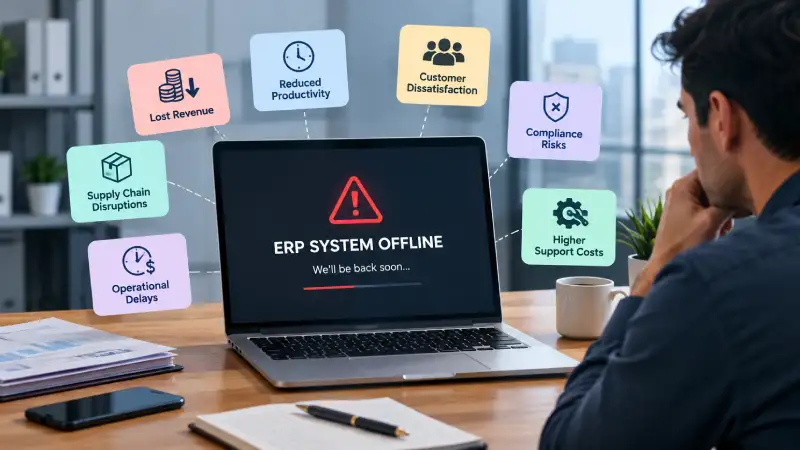
This is ERP downtime.
And the important thing to understand is that ERP downtime is not just an IT problem.
It is a business problem.
When an ERP system becomes the central system for sales, purchasing, inventory, manufacturing and finance, its availability directly affects the way the business operates.
After more than 19 years of working with ERP systems and implementing ERP solutions for businesses, I have seen that companies often think seriously about ERP downtime only after they experience a major outage.
That is the wrong time to start thinking about it.
The better time is before it happens.
Ask yourself:
“If our ERP stopped working for one hour, what would stop in our business?”
Then ask:
“What if it stopped for one working day?”
The answers can be surprisingly uncomfortable.
What Is ERP Downtime?
ERP downtime simply means that users cannot use the ERP system normally.
The system may be completely unavailable.
But downtime does not always mean that the screen is completely blank.
Sometimes the ERP is technically running, but it is so slow that employees cannot perform their work effectively.
For example:
- Users cannot log in.
- Transactions are not saving.
- Reports take several minutes to open.
- The database is unavailable.
- The application server has failed.
- The network connection is down.
- A software update has caused an issue.
- The database has become corrupted.
- The hosting environment is unavailable.
- A security incident has affected the system.
From the employee’s perspective, the result is simple:
“I cannot do my work.”
And that is the real definition businesses should care about.
An ERP system can be technically available but still create operational downtime if users cannot complete important business transactions within a reasonable time.
What Happens to a Business When ERP Goes Down?
Many companies initially think:
“The ERP is down. We will wait until it comes back.”
That sounds simple.
But ERP transactions are connected.
One blocked transaction can affect the next process.
Consider a manufacturing business:
Customer Order
↓
Sales Order
↓
Material Requirement
↓
Purchase
↓
Goods Receipt
↓
Inventory
↓
Production
↓
Finished Goods
↓
Delivery
↓
Invoice
↓
Accounting
If ERP becomes unavailable at the wrong point, several departments can be affected.
The problem is no longer one employee sitting in front of a computer.
The entire business flow can slow down.
Real-Life ERP Experience: “The System Is Down. What Do We Do Now?”
One of the first things that becomes visible during an ERP outage is how dependent the business has become on the system.
During normal operations, nobody thinks about it.
Sales enters an order.
Stores issues material.
Purchase receives goods.
Production completes an operation.
Finance generates an invoice.
Everything looks normal.
But once the ERP becomes unavailable, people suddenly discover how many business decisions depend on information stored inside it.
A salesperson may ask:
“Can I confirm the customer’s available credit?”
The answer may be inside the ERP.
The warehouse may ask:
“Can I deliver these 200 units?”
The answer may depend on stock, reservations and open orders.
Production may ask:
“Can I issue this component?”
The answer may depend on inventory availability.
Purchase may ask:
“What quantity is already on order?”
Again, the answer is in the ERP.
This is why I always recommend looking at ERP availability from a business-process perspective, not just a server perspective.
The question should not simply be:
“Is the server available?”
The better question is:
“Can the business continue its critical processes?”
That is a much more meaningful way to look at ERP availability.
ERP Downtime Can Stop the Warehouse
Consider a warehouse where inventory transactions are recorded in ERP.
A truck arrives.
Material is physically received.
The warehouse team needs to record the receipt.
But the ERP is unavailable.
The material is sitting in the warehouse, but the system does not show the receipt.
Now production wants the material.
Production checks the system and sees that it is not available.
The warehouse says:
“The material is physically here.”
Production says:
“The system says it is not available.”
Someone may decide to issue the material manually.
That may solve the immediate production problem.
But it creates another problem.
When the ERP comes back, the team has to recreate the transaction.
If this is not controlled properly, you can end up with:
- Duplicate receipts
- Incorrect stock
- Missing transactions
- Incorrect transaction dates
- Wrong quantities
- Reconciliation problems
- Costing problems
- Accounting problems
A one-hour outage can therefore create several hours of cleanup work.
The outage ends.
But the business impact continues.
ERP Downtime Can Stop Production
Manufacturing is particularly sensitive to ERP downtime.
Production may depend on ERP for:
- Production orders
- BOM information
- Material availability
- Component issue
- Routing
- Work orders
- Operation status
- Work center information
- Finished goods receipt
- Production costing
Imagine a production line that is ready to start.
The raw materials are available.
The machine is available.
The operator is available.
The production plan is ready.
But the production order cannot be processed because the ERP is unavailable.
The machine may remain idle.
Ten operators may be waiting.
The production schedule starts slipping.
Now consider what happens next.
The production order is delayed.
The finished goods are delayed.
The delivery is delayed.
The customer may be affected.
The business may need to reschedule another production order.
A two-hour ERP outage can therefore become a much larger operational problem.
The actual cost is not only:
Two hours of ERP downtime.
It may include:
Idle machine + idle employees + delayed production + delayed dispatch + customer impact.
That is the hidden cost of ERP downtime.
ERP Downtime Can Affect Distributors Too
ERP downtime is not only a manufacturing problem.
Consider a distributor with several warehouses.
The company receives 50 customer orders in the morning.
The ERP goes down before the warehouse starts dispatching.
Physically, the company has enough stock.
But the team cannot reliably check:
- Which stock is reserved?
- Which customer has priority?
- Which warehouse should dispatch?
- Which orders are already partially delivered?
- Which quantities are committed?
- Which stock is available?
The warehouse can physically move products.
But the business cannot confidently determine which transaction should happen.
This is an important distinction.
Physical stock can exist even when business information is unavailable.
And in a modern ERP-driven business, information is part of the operation.
ERP Downtime Can Affect Customer Service
Now consider the sales department.
A customer calls:
“I need 500 units. Can you confirm delivery by Friday?”
The salesperson needs to check:
- Current stock
- Reserved stock
- Open sales orders
- Production quantity
- Expected receipts
- Delivery commitments
But the ERP is unavailable.
The salesperson has two choices.
Say:
“I cannot confirm right now.”
Or make a decision based on incomplete information.
Neither is ideal.
The first can frustrate the customer.
The second can create a commitment the business cannot fulfill.
This is why ERP availability is also a customer experience issue.
Customers do not care whether the problem is caused by a server, database, network or application.
They simply expect the company to know:
“Can you deliver my order or not?”
ERP Downtime Can Affect Finance
Finance is often forgotten when people discuss ERP downtime.
But consider month-end closing.
Finance may need to process:
- Sales invoices
- Purchase invoices
- Receipts
- Payments
- Inventory accounting
- Production accounting
- Fixed assets
- Tax transactions
- Journal entries
- Bank reconciliation
If the ERP is unavailable during a critical financial period, the impact can be significant.
The finance team may have to maintain temporary records and later enter them into the ERP.
That creates additional reconciliation work.
The longer the outage continues, the more difficult the reconciliation becomes.
This is why ERP downtime should be considered during critical periods such as:
- Month-end closing
- Year-end closing
- Tax filing periods
- Major customer billing cycles
- Payroll processing
- Peak business periods
A 30-minute outage on an ordinary day may be manageable.
A 30-minute outage during a critical financial deadline may be a very different problem.
The Hidden Cost of ERP Downtime
This is where management needs to look beyond the IT department.
Suppose the ERP is unavailable for two hours.
It is tempting to calculate:
ERP downtime = 2 hours
But that is not the real business cost.
Consider what may happen during those two hours.
Production
20 employees are waiting.
Warehouse
Dispatch is delayed.
Sales
Orders cannot be confirmed.
Purchase
Receipts and urgent orders are delayed.
Finance
Invoices are waiting.
Management
Important decisions are delayed.
Customers
Delivery commitments may be affected.
Now the two-hour outage has created a much larger business impact.
This is why downtime should be measured in terms of business impact, not only technical duration.
Not All ERP Downtime Costs the Same
A 30-minute outage at 3:00 AM may have almost no operational impact.
A 30-minute outage at 10:00 AM on the last working day of the month may be extremely expensive.
Similarly, a one-hour outage in a small office may affect five users.
A one-hour outage in a manufacturing plant may affect hundreds of transactions.
Therefore, businesses should identify their:
- Critical ERP processes
- Critical operating periods
- Critical users
- Critical customer commitments
- Critical financial deadlines
High availability and recovery planning should be based on business requirements rather than assuming that every ERP process has the same importance.
Planned vs. Unplanned ERP Downtime
There is an important difference between planned downtime and unplanned downtime.
Planned Downtime
Planned downtime happens when the organization intentionally takes the ERP system offline.
For example:
- ERP version upgrade
- Database maintenance
- Server maintenance
- Security patching
- Infrastructure changes
- Hardware replacement
- Application deployment
- Major configuration changes
Planned downtime is not necessarily a bad thing.
Maintenance is often necessary to keep systems secure, stable and reliable.
The problem is when maintenance is poorly planned.
If a company takes the ERP offline during its busiest sales period, the business may suffer unnecessarily.
For example, a manufacturing company may not want major ERP maintenance during the middle of a production shift.
A distributor may avoid maintenance during peak dispatch hours.
A finance team may not want a major system outage during month-end closing.
The technical team may think:
“Sunday morning is the best time for maintenance.”
The business may think:
“Sunday morning is our busiest order-processing period.”
Both teams can be correct.
The solution is communication and planning.
Unplanned Downtime Is Where the Real Risk Begins
Unplanned downtime is different.
Nobody expected the system to stop.
Possible causes include:
- Server failure
- Database failure
- Network failure
- Storage problems
- Power failure
- Application errors
- Software defects
- Configuration mistakes
- Human error
- Cybersecurity incidents
- Data corruption
- Infrastructure failure
The biggest problem with unplanned downtime is uncertainty.
Nobody knows:
When will the system come back?
Five minutes?
One hour?
Five hours?
Tomorrow?
And while the IT team is investigating the problem, the rest of the organization is waiting.
This is why preparation matters.
You cannot prevent every possible failure.
But you can prepare for failure.
How Much ERP Downtime Can Your Business Afford?
This is a question every ERP-dependent business should answer.
Ask:
If ERP is unavailable for 15 minutes, what happens?
Probably inconvenience.
What if it is unavailable for one hour?
Some operations may stop.
What if it is unavailable for four hours?
Production, warehouse, sales and finance may be affected.
What if it is unavailable for an entire working day?
The business may need emergency procedures.
What if it is unavailable for several days?
Now you have a serious business continuity problem.
The answer will be different for every organization.
That is why there is no universal “acceptable downtime” number.
The correct question is:
How much downtime can our business tolerate before the impact becomes unacceptable?
High Availability, Backup and Disaster Recovery: What Is the Difference?
These terms are often confused.
They are related, but they solve different problems.
| Concept | Simple Meaning | Main Question |
| High Availability | Keep the ERP running with minimal interruption | How do we minimize service interruption? |
| Backup | Maintain copies of data | Can we recover our data? |
| Disaster Recovery | Restore systems after a major failure | How do we get the ERP back? |
| Business Continuity | Keep critical business activities operating | How does the business continue while ERP is unavailable? |
High Availability
High availability is about keeping the system operational, when possible, often through redundancy and resilient architecture.
The objective is:
Keep the service running with minimal interruption.
Backup
Backup is about maintaining copies of data so information can be restored after loss or corruption.
The objective is:
Make sure data can be recovered.
Disaster Recovery
Disaster recovery is the broader plan for restoring systems and operations after a major failure.
The objective is:
Recover the business after a serious disruption.
Business Continuity
Business continuity goes one step further.
It asks:
“How does the business continue operating while the ERP is unavailable?”
For example, the organization may need controlled temporary procedures for sales, warehouse, production and finance until normal ERP operations resume.
Having a backup does not automatically mean you have a good disaster recovery plan.
And having disaster recovery does not necessarily mean that your business can continue operating smoothly during the outage.
These are related but different capabilities.
What Are RTO and RPO?
Two terms are particularly useful when discussing ERP recovery.
RTO — Recovery Time Objective
RTO answers:
“How quickly do we need the ERP back?”
For example, if the business cannot operate effectively without ERP for more than two hours, the recovery strategy needs to support that business requirement.
RPO — Recovery Point Objective
RPO answers:
“How much recent data can we afford to lose?”
Imagine a business processing hundreds of transactions every hour.
If losing 30 minutes of transactions would create a major problem, the backup and recovery strategy needs to support an appropriate RPO for that requirement.
RTO and RPO are therefore not simply technical numbers.
They are business decisions.
Different businesses may require different targets depending on their operations, transaction volumes and tolerance for disruption.
What Causes ERP Downtime?
There is no single cause.
Some common causes include:
1. Server Failure
Hardware can fail.
2. Database Problems
ERP applications depend heavily on their databases. Database corruption, storage issues or configuration problems can make the application unavailable.
3. Network Failure
The ERP may be running perfectly, but users cannot reach it because the network is unavailable.
4. Application Errors
A software change or unexpected application error can affect system availability.
5. Poorly Planned Maintenance
Maintenance is necessary, but poor scheduling or execution can create avoidable downtime.
6. Human Error
A wrong configuration or accidental change can cause serious problems.
7. Cybersecurity Incidents
Security incidents can cause service interruption or data corruption.
8. Power or Infrastructure Failure
Power problems, cooling failures or physical infrastructure issues can affect on-premise systems.
The lesson is simple:
You cannot prevent every possible failure.
But you can prepare for failure.
How Can a Business Reduce ERP Downtime?
There is no single solution.
A good approach combines technology, processes and people.
1. Identify Critical ERP Processes
Start by asking:
Which ERP processes are business-critical?
For example:
- Sales order processing
- Inventory transactions
- Production
- Dispatch
- Invoicing
- Financial posting
Not every screen has the same importance.
Identify the processes that must continue or be restored first.
2. Monitor the ERP Environment
Do not wait for users to tell you:
“The ERP is down.”
Depending on the environment, monitoring may cover:
- Server health
- Database health
- Storage
- Memory
- CPU
- Network
- Application performance
- Disk capacity
- Backup status
Early detection can reduce the duration or impact of some incidents.
3. Have Reliable Backups
A backup that has never been tested is not the same thing as a proven recovery capability.
You should know:
- What is being backed up?
- How often?
- Where is it stored?
- How long are backups retained?
- Who can restore them?
- When was the last successful recovery test?
The most important question is not:
“Do we have a backup?”
It is:
“Can we actually restore from that backup when we need it?”
4. Test Your Recovery Plan
This is one of the most overlooked areas.
Many organizations say:
“We have a backup.”
But when a real failure happens, they discover that:
- The backup is incomplete.
- The restore process takes too long.
- Nobody knows the procedure.
- The application configuration is missing.
- The backup cannot be restored as expected.
A recovery plan should therefore be tested.
You do not want to discover during a real emergency that your recovery process does not work.
5. Define Controlled Manual Procedures
What happens if the ERP is unavailable for two hours?
Your organization should already know the answer.
For example:
Sales
Maintain temporary order records.
Warehouse
Record emergency physical movements using a controlled document.
Purchase
Record critical receipts and urgent purchase requirements.
Production
Maintain controlled production activity records.
Finance
Record critical invoices or financial transactions that cannot wait.
But there is an important warning.
Manual procedures should be temporary and controlled.
The objective is not to create a replacement ERP using Excel.
The biggest mistake is allowing every department to create its own emergency spreadsheet.
When the ERP comes back, you may have five different versions of the truth.
Reconciliation After Downtime Is Critical
Suppose the ERP was unavailable for three hours.
During those three hours:
- 15 sales orders were received.
- 8 materials were received.
- 12 deliveries were made.
- 6 production transactions occurred.
The ERP comes back.
Now someone needs to enter those transactions.
This is where reconciliation becomes critical.
You need to ensure:
Every manual transaction → enters ERP once → correct date → correct quantity → correct reference → correct accounting impact.
Otherwise, downtime can create a second problem after the system is restored.
Real-Life ERP Lesson: The System Came Back—but the Problem Didn’t
Consider a company where the ERP was unavailable for several hours.
During the outage, the warehouse continued dispatching goods using manual documents because customers were waiting.
When the ERP became available again, the team started entering the transactions.
One employee entered a delivery.
Another entered the same delivery because they were both working from different manual records.
Now the ERP showed two deliveries.
The physical stock was correct.
The ERP stock was wrong.
The company then had to investigate:
- Which document was genuine?
- Which transaction was duplicated?
- Which invoice was linked?
- What quantity had actually been dispatched?
- What accounting entry was generated?
The original downtime may have lasted only a few hours.
The cleanup took much longer.
This is why downtime management is not only about getting the server back online.
It is also about controlling what happens during the outage and after recovery.
Plan ERP Maintenance Properly
Planned downtime should be communicated.
Users should know:
- When the system will be unavailable
- Why it is being taken offline
- How long it is expected to remain unavailable
- Which departments are affected
- What temporary process should be followed
- When normal operations can resume
This sounds simple.
But good communication can prevent significant confusion.
The business should also maintain a calendar of critical periods so that major ERP maintenance is not accidentally scheduled during:
- Peak production
- Peak dispatch
- Month-end closing
- Major customer commitments
- Critical financial periods
Cloud ERP vs. On-Premise ERP: Does One Eliminate Downtime?
Not completely.
Cloud and on-premise environments have different operational models and risks.
Moving to the cloud can provide access to infrastructure and availability capabilities that may be difficult for a smaller organization to build independently.
But cloud does not mean:
“The system can never go down.”
No technology environment should be treated as immune to failure.
Similarly, an on-premise ERP is not automatically unreliable.
The real question is:
“How has the environment been designed, monitored, backed up and recovered?”
Architecture, operational discipline and business continuity planning matter more than simply choosing the label “cloud” or “on-premise.”
Cloud can change who manages parts of the infrastructure.
It does not eliminate the need for a recovery strategy.
Who Is Responsible for ERP Availability?
This is an important question to ask before selecting or implementing an ERP.
Businesses often ask:
“Does the ERP vendor guarantee uptime?”
That is an important question.
But it is not the only one.
Depending on the deployment model, responsibility may be shared between the:
- ERP vendor
- Implementation partner
- Hosting provider
- Customer IT team
- Database administrator
- Infrastructure provider
Before going live, understand:
- Where is the ERP hosted?
- Who manages the database?
- Who manages backups?
- What happens if the server fails?
- What happens if the database is corrupted?
- How quickly can the system be restored?
- What is the backup frequency?
- How is recovery tested?
- Who is responsible during an outage?
- How will users be informed?
- What happens to transactions created during downtime?
ERP availability is therefore a shared responsibility, depending on the deployment arrangement.
ERP Downtime Readiness Checklist
Ask your organization these questions:
- Do we know which ERP processes are business-critical?
- Do we know how long the business can operate without ERP?
- Do we have documented backup procedures?
- Are ERP backups running regularly?
- Have we tested restoring a backup?
- Do we know our target RTO?
- Do we know our target RPO?
- Do employees know what to do during an outage?
- Do we have a controlled manual transaction process?
- Do we have a reconciliation process after recovery?
- Is ERP maintenance properly planned?
- Is the ERP environment monitored?
- Do we know who is responsible during an outage?
- Have we tested our disaster recovery process?
- Have we reviewed the plan recently?
How should you interpret the result?
12–15 Yes:
You have a good foundation, but continue testing and reviewing the plan.
8–11 Yes:
Your recovery approach may still have important gaps that deserve attention.
4–7 Yes:
You have some controls, but your ERP continuity process should be reviewed.
0–3 Yes:
Your organization may have significant ERP availability and recovery risks.
This is not a formal industry certification or technical assessment.
It is simply a practical way to start the conversation.
ERP Downtime Should Be a Business Continuity Discussion
This is perhaps the biggest lesson I have learned from working with ERP systems.
ERP downtime should not be discussed only between:
IT Manager + ERP Support Team
It should involve:
Management + IT + Operations + Finance + Sales + Warehouse + Production
Why?
Because every department experiences downtime differently.
IT asks:
“How quickly can we restore the server?”
Management asks:
“How much business are we losing?”
Production asks:
“Can we continue manufacturing?”
Warehouse asks:
“Can we dispatch?”
Sales asks:
“Can we confirm orders?”
Finance asks:
“Can we invoice and post transactions?”
All of these questions are valid.
A good ERP continuity plan brings them together.
How Should You Evaluate ERP Availability?
When evaluating an ERP system, do not only ask about features.
Ask about availability and recovery too.
Your ERP evaluation should consider:
Deployment Architecture
How will the ERP environment be deployed?
Database Strategy
Where is the database located and how is it protected?
Backup
How frequently is data backed up?
Recovery
What happens when the application, server or database fails?
Monitoring
How will potential problems be identified?
Maintenance
How are upgrades and planned maintenance handled?
Security
How are security incidents handled?
Support
Who do users contact during a serious outage?
Business Continuity
What can the business do while the ERP is unavailable?
Reconciliation
How are transactions entered during downtime handled after recovery?
These questions are often more important than simply asking:
“How many ERP features does the system have?”
Cyprus ERP and Onfinity ERP: Availability Is Part of the Business Process
My work with ERP has always focused on more than application functionality.
An ERP system may have excellent Sales, Procurement, Inventory, MRP, Manufacturing and Finance features.
But those functions only create business value when the organization can reliably use them.
Cyprus ERP supports core business processes including Sales, Procurement, Inventory, MRP, Manufacturing, Finance, Fixed Assets, CRM and related operations.
Onfinity ERP extends this approach with an AI-enabled ERP platform designed to help organizations connect business processes and improve visibility and decision-making.
For organizations evaluating either platform, ERP availability should be considered together with:
- Deployment architecture
- Database strategy
- Backup
- Recovery
- Monitoring
- Security
- Maintenance
- Support
- Business continuity
- User procedures
The exact availability and recovery approach should be designed according to the organization’s business requirements and deployment environment.
The important point is that ERP selection should not end with a feature comparison.
A business should also ask:
“Can this ERP environment reliably support the processes that keep our business running?”
Because the best ERP system is not simply the one with the most features.
It is the one that reliably supports the business processes that matter most.
Frequently Asked Questions About ERP Downtime
What is ERP downtime?
ERP downtime occurs when users cannot use the ERP system normally. This may mean that the system is completely unavailable, or that severe performance problems prevent users from completing important business transactions.
What causes ERP downtime?
Common causes include server failure, database problems, network failure, application errors, software changes, configuration mistakes, human error, infrastructure failures and cybersecurity incidents.
What is the difference between planned and unplanned downtime?
Planned downtime is intentionally scheduled for activities such as upgrades, maintenance or infrastructure changes.
Unplanned downtime occurs unexpectedly because of failures, errors, incidents or other disruptions.
How does ERP downtime affect manufacturing?
It can prevent production teams from accessing production orders, BOMs, material availability, routing, work orders and other information. This can result in idle machines, waiting employees, delayed production and delayed deliveries.
How does ERP downtime affect inventory?
Physical inventory may still exist, but users may not be able to receive, issue, transfer or accurately check stock in the ERP. Manual transactions may then create reconciliation problems when the system comes back.
Is backup the same as disaster recovery?
No.
Backup is about maintaining copies of data.
Disaster recovery is about restoring systems and operations after a major failure.
A company can have backups but still have a poorly tested recovery process.
What is RTO in ERP?
RTO, or Recovery Time Objective, defines how quickly the business needs the ERP service restored after a disruption.
What is RPO in ERP?
RPO, or Recovery Point Objective, defines how much recent data the organization can potentially afford to lose after a disruption.
Can cloud ERP eliminate downtime?
No technology environment should be considered immune to failure.
Cloud deployment can provide different infrastructure and availability capabilities, but businesses still need appropriate monitoring, backup, recovery and continuity planning.
What should employees do when ERP is unavailable?
Employees should follow a predefined, controlled contingency process for critical transactions. Manual records should be temporary, standardized and reconciled carefully once the ERP becomes available again.
Final Thoughts from an ERP Practitioner
After more than 19 years in ERP, one thing has become very clear to me:
Businesses rarely realize how dependent they are on ERP until ERP stops working.
When the system is running, nobody thinks about it.
Sales enters orders.
Warehouse manages stock.
Purchase manages suppliers.
Production manages orders.
Finance manages accounts.
Management reviews reports.
Everything feels normal.
Then the system goes down.
Suddenly everyone realizes that ERP is not just another software application.
It is part of the operating infrastructure of the business.
That is why ERP downtime should not be treated as:
“The IT team’s problem.”
It should be treated as:
“A business continuity risk.”
The objective should not necessarily be to make an unrealistic promise of zero downtime.
The objective should be to understand:
What can fail?
What happens if it fails?
How quickly do we need to recover?
How much data can we afford to lose?
What can the business continue doing while ERP is unavailable?
How will we reconcile transactions after recovery?
Once you answer these questions, you can make sensible decisions about high availability, backups, disaster recovery, monitoring and manual contingency procedures.
The most expensive ERP downtime is not always the longest outage.
Sometimes it is the outage that happens at exactly the wrong time.
A system that goes down for one hour during a quiet period may cause little damage.
The same one-hour outage during production, peak dispatch, month-end closing or a critical customer commitment can create a much larger business impact.
So don’t wait for the next outage to ask:
“What should we have done?”
Ask the question now:
“If our ERP goes down tomorrow, are we ready?”
Is Your ERP Ready for the Unexpected?
If your business depends on ERP for sales, inventory, purchasing, production and finance, don’t wait for an outage to discover where the gaps are.
A practical ERP continuity assessment can help identify:
- Critical ERP processes
- Downtime risks
- Backup gaps
- Recovery requirements
- Manual contingency procedures
- Reconciliation risks
- Business continuity requirements
If you are evaluating an ERP system or reviewing the resilience of your existing ERP environment, start by understanding the business processes that absolutely cannot stop.
You can also explore Cyprus ERP and Onfinity ERP as part of your ERP evaluation.
The objective should not be to buy software simply because your business has grown.
The objective should be to build an ERP environment that can support the business reliably—even when something goes wrong.
About the Author
Surya Sagar is an ERP Solution Architect and founder of BRS Infotek, with more than 19 years of experience in ERP consulting and implementation.
He has been involved in 100+ ERP projects across different industries and has worked extensively across Sales, Procurement, Inventory Management, MRP, WMS, Discrete Manufacturing, Finance, Costing and Project Management.
His experience comes from working directly with businesses and their real operational challenges—not simply from studying ERP software.
Through his ERP consulting work, Surya focuses on understanding the business problem first and then designing practical ERP processes around it.
He is associated with Cyprus ERP and Onfinity ERP, helping organizations evaluate, implement and improve ERP-driven business processes.


