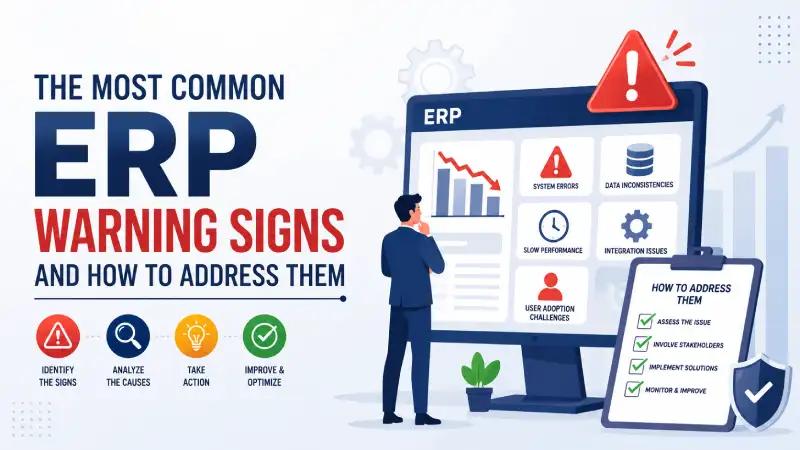
Is Your ERP Helping Your Business or Creating Hidden Problems?
Imagine walking into your monthly management review meeting.
The Sales Head presents one revenue figure.
The Finance Head presents another.
The Production Manager says inventory is unavailable.
The Warehouse Manager insists the stock is available.
Meanwhile, someone opens an Excel sheet because nobody trusts the ERP report.
Sound familiar?
Unfortunately, this is how many ERP failures begin—not with a system crash or software error, but with small warning signs that businesses ignore until they become major operational and financial problems.
Most ERP systems are implemented with high expectations. Businesses invest significant time, money, and effort hoping to streamline operations, improve visibility, reduce manual work, and support future growth.
However, after working in ERP consulting, implementation, and product development for more than 18 years, I have observed a common pattern. Organizations that struggle with ERP systems almost always ignore early warning signs.
The good news is that these warning signs can be identified and corrected before they become business-critical issues.
In this article, I will share the most common ERP red flags that businesses should never ignore, along with real-world experiences from actual ERP implementation and consulting projects.
Is Your ERP Already Showing Warning Signs?
Before we begin, take a quick look at the following symptoms:
✔ Employees maintain Excel sheets alongside ERP.
✔ Inventory rarely matches physical stock.
✔ Different reports show different numbers.
✔ Users delay entering transactions.
✔ Management does not fully trust ERP reports.
✔ Departments blame each other for operational issues.
✔ IT spends significant time fixing data problems.
✔ Product costs are difficult to calculate accurately.
If several of these situations sound familiar, your ERP may already be showing signs of stress.
Let’s examine the most common red flags.
Red Flag #1: Employees Continue Working in Excel
One of the clearest indicators of ERP trouble is when employees continue maintaining Excel sheets after ERP implementation.
This usually happens because:
- Users do not trust ERP data.
- ERP processes are complicated.
- Reports do not provide required information.
- Departments maintain their own unofficial records.
Many businesses mistakenly believe ERP adoption is successful simply because transactions are being entered into the system.
But if planners, buyers, warehouse managers, finance teams, or production managers continue making decisions using spreadsheets, the ERP has failed to become the organization’s single source of truth.
Real-Life Experience
A manufacturing company proudly announced a successful ERP implementation.
Six months later, production planning was still being managed through Excel because planners did not trust the inventory reports generated by the ERP.
The consequences were immediate:
- Frequent material shortages
- Delayed purchase orders
- Last-minute production rescheduling
- Increased customer delivery delays
The software was functioning correctly.
The real problem was a lack of confidence in the data.
If Excel becomes more important than ERP, management should immediately investigate why.
Red Flag #2: Inventory Does Not Match Physical Stock
Inventory inaccuracies quietly destroy profitability.
Consider this situation:
The ERP shows 1,000 units in stock.
The warehouse can physically find only 700 units.
Production requires 500 units tomorrow.
Which number should management trust?
When inventory records differ from physical stock, businesses experience:
- Production disruptions
- Emergency purchases
- Excess inventory
- Customer delivery failures
- Incorrect financial valuation
Real-Life Experience
During a stock verification exercise, a company discovered that inventory worth several million rupees shown in ERP could not be physically located.
After investigation, we found the root cause.
Materials were frequently moved between departments without recording transfer transactions.
Over time, inventory accuracy deteriorated to the point where nobody trusted stock reports.
Remember:
An ERP system is only as accurate as the transactions entered into it.
Red Flag #3: Management Reports Show Different Numbers
Nothing damages confidence faster than conflicting reports.
Imagine this scenario:
- Sales Report: ₹12 Crore Revenue
- Finance Report: ₹11.2 Crore Revenue
- Dashboard Report: ₹12.5 Crore Revenue
Which figure is correct?
If management spends more time debating numbers than making decisions, there is a serious ERP problem.
Common causes include:
- Data duplication
- Poor reporting design
- Inconsistent business rules
- Incorrect configurations
Real-Life Experience
At a distribution company, the Sales Head and Finance Head presented revenue figures that differed by almost 8%.
The cause?
One report included draft invoices while another included only completed invoices.
The ERP was not failing.
Reporting governance was.
Red Flag #4: Too Many Manual Adjustments
ERP systems are supposed to automate business processes.
If employees constantly perform manual corrections, something is wrong.
Warning signs include:
- Frequent inventory adjustments
- Regular journal corrections
- Manual reconciliation exercises
- Continuous data fixes by IT teams
Real-Life Experience
One company was creating inventory adjustment entries almost every week.
After detailed analysis, we discovered that users were incorrectly reversing inventory transactions and then manually correcting balances.
Instead of fixing the process, the organization had become dependent on adjustments.
Over time this created audit concerns and reduced confidence in the ERP system.
Red Flag #5: The ERP Project Never Really Ends
Every ERP system requires ongoing improvement.
However, if implementation remains in “project mode” for years, it indicates deeper problems.
Symptoms include:
- Endless change requests
- Continuous redesign of processes
- Repeated user complaints
- Lack of ownership
Real-Life Experience
I once worked with a company that had been implementing ERP for nearly three years.
Every month brought new requirements.
Every department wanted different processes.
Business workflows were never finalized during blueprinting.
Users became frustrated because the system kept changing faster than they could learn it.
ERP projects require discipline, governance, and clear scope management.
Red Flag #6: Business Knowledge Exists Only in People’s Heads
A healthy ERP system reduces dependency on specific individuals.
A dangerous warning sign appears when important business knowledge resides with a few employees.
Examples:
- Only one person understands inventory.
- Only one planner knows production priorities.
- Only one accountant understands financial reports.
Real-Life Experience
A warehouse supervisor resigned from a manufacturing company.
Within a week, warehouse operations became chaotic.
The reason?
Critical inventory tracking information existed only in his personal spreadsheets.
The ERP system was not managing the process.
The individual was.
Good ERP systems institutionalize business knowledge.
Red Flag #7: Employees Avoid ERP Processes
Users naturally avoid processes they dislike.
Pay attention when employees say:
- “We’ll update it later.”
- “Let’s do it manually.”
- “The ERP takes too long.”
- “Keep this outside the system.”
These statements often reveal process weaknesses.
Real-Life Experience
A company routinely bypassed Purchase Requisitions because users viewed them as unnecessary paperwork.
Over time:
- Procurement visibility disappeared.
- Approval controls weakened.
- Purchasing costs increased.
When users bypass ERP processes, management loses control over operations.
Red Flag #8: No Visibility into Product Costs
This is one of the most dangerous warning signs for manufacturing companies.
Many organizations know their sales revenue but cannot accurately calculate:
- Product cost
- Work-in-Progress (WIP)
- Manufacturing overheads
- Planned versus actual cost
Without accurate costing, pricing decisions become guesswork.
Real-Life Experience
A manufacturer believed one of its best-selling products was highly profitable.
After implementing proper cost tracking, management discovered the product was generating losses.
The reasons included:
- High material wastage
- Excess machine downtime
- Underestimated overhead costs
The ERP revealed a problem that financial statements alone could not identify.
Red Flag #9: Data Quality Is Gradually Declining
Data quality problems usually appear slowly.
Examples include:
- Duplicate customers
- Duplicate vendors
- Incorrect product information
- Missing master data
- Outdated Bills of Material (BOM)
- Incorrect routing definitions
Poor data eventually affects every business process.
Questions Every Business Should Ask
- Who owns master data?
- How often is it reviewed?
- Is there an approval process?
- Are duplicate records monitored?
The old principle remains true:
Garbage In, Garbage Out.
Red Flag #10: ERP Is Treated as an IT System Instead of a Business System
This may be the biggest ERP mistake of all.
Many organizations believe ERP is an IT responsibility.
It is not.
ERP belongs to the business.
- Sales owns sales processes.
- Procurement owns procurement processes.
- Finance owns financial processes.
- Manufacturing owns production processes.
ERP is a business transformation platform.
Real-Life Experience
Two companies implemented similar ERP solutions.
One involved senior management throughout the project.
Department heads actively participated in reviews, reporting, and process decisions.
The second company delegated everything to IT.
The first implementation succeeded.
The second struggled continuously.
The difference was leadership involvement.
ERP Health Check: Quick Self-Assessment
Give yourself one point for each statement:
□ We still use Excel for critical decisions.
□ Inventory accuracy is below 95%.
□ Different reports show different numbers.
□ Users bypass ERP processes.
□ Master data contains duplicate records.
□ Product costing is difficult to calculate.
□ Management does not trust ERP reports.
Results
0-2 Points
Your ERP appears healthy.
3-5 Points
Your ERP requires attention.
6+ Points
Your ERP may be creating significant operational risk and should be reviewed immediately.
How Businesses Can Avoid These ERP Problems
Most ERP problems can be prevented with proper governance.
Focus on Processes Before Technology
Do not automate broken processes.
Maintain Accurate Master Data
Data quality must be continuously monitored.
Train Users Regularly
Training should continue long after go-live.
Monitor Key Business KPIs
Track:
- Inventory Accuracy
- Delivery Performance
- Production Efficiency
- Cost Variances
- User Adoption
Conduct Regular ERP Health Checks
Periodic reviews identify problems before they become expensive.
Ensure Leadership Participation
ERP success requires executive involvement.
Build Trust in Data
When users trust ERP information, adoption improves naturally.
When Should You Conduct an ERP Health Check?
You should seriously consider an ERP review if your organization experiences:
- Frequent inventory adjustments
- Heavy reliance on Excel
- Inconsistent reporting
- User resistance
- Rising operational costs
- Poor inventory visibility
- Difficulty calculating product costs
Many organizations assume they need a new ERP system.
In reality, many problems can be resolved through process improvements, better training, and proper system configuration.
The first step is identifying the root cause.
Why Modern Businesses Need a Strong ERP Foundation
As businesses grow, complexity increases.
Manual systems and disconnected software eventually create:
- Operational inefficiencies
- Reporting delays
- Inventory inaccuracies
- Poor decision-making
- Increased costs
A modern ERP system should provide a single source of truth across the organization.
It should connect departments, improve visibility, and support growth.
Platforms such as Cyprus ERP and Onfinity ERP are built around these principles, helping businesses integrate:
- Sales Management
- Procurement Management
- Inventory & Warehouse Management
- Manufacturing Management
- Material Requirement Planning (MRP)
- Financial Management
- Project Management
- Quality Management
- Service Management
The goal is not simply to digitize transactions.
The goal is to create operational excellence through connected business processes.
Final Thoughts
ERP failures rarely happen overnight.
Most begin with small warning signs that businesses ignore for months or even years.
The Excel sheets grow larger.
Inventory accuracy declines.
Reports become unreliable.
Users bypass processes.
Management loses confidence.
Eventually, the organization realizes that it has ERP software but not ERP discipline.
The earlier these warning signs are identified, the easier they are to correct.
Remember:
ERP success is not measured by software installation.
ERP success is measured by business outcomes.
Organizations that recognize and address these red flags early will be far better positioned to improve efficiency, reduce costs, and scale confidently in an increasingly competitive marketplace.
About the Author
Surya Sagar is an ERP Solution Architect, ERP Product Builder, and Founder of BRS Infotek with more than 18 years of experience in ERP consulting, product development, implementation leadership, and business process transformation across multiple industries.
He has worked extensively with manufacturing companies, warehouses, distribution businesses, healthcare organizations, finance teams, and project-driven enterprises, helping them improve operational efficiency through ERP solutions.
Surya played a significant role in the development and global implementation of Vienna Advantage ERP (now Onfinity ERP) and is the architect behind Cyprus ERP, a modern ERP platform designed to help businesses achieve operational excellence through integrated business processes.
His expertise spans Manufacturing, Supply Chain Management, MRP, Warehouse Management, Finance, Procurement, Sales Management, Project Management, Healthcare ERP, and Digital Business Transformation.


