The Day Every ERP Project Team Waits For — And Fears
A manufacturing company spent nearly eight months implementing a new ERP system.
The project team had completed requirement gathering.
The consultants had configured the system.
Data migration was done.
Users had attended training sessions.
Management was excited about the transformation.
Everything looked ready.
Then Go-Live day arrived.
Within a few hours, the production department could not issue raw materials.
The stores team could not locate inventory.
Sales orders were getting delayed.
Finance was unable to reconcile opening balances.
Management immediately started asking:
“What went wrong?”
After investigation, we found something surprising.
The ERP system was functioning perfectly.
The real issue was incomplete Go-Live preparation.
Critical validations had been skipped because everyone was focused on meeting the Go-Live date.
Unfortunately, this is not a rare situation.
During my 18+ years of ERP implementation experience across manufacturing, pharmaceuticals, distribution, retail, engineering, construction, and service industries, I have seen organizations spend months implementing ERP only to struggle during the first few weeks after Go-Live.
The reason is simple.
Most ERP failures do not happen because of software.
They happen because of inadequate preparation.
This article provides a practical ERP Go-Live Checklist based on real implementation experience that can help organizations avoid costly mistakes and ensure a smoother transition.
What Is ERP Go-Live?
ERP Go-Live is the moment when an organization stops using its old systems and begins running day-to-day business operations using the new ERP platform.
This includes:
- Sales Orders
- Purchase Orders
- Goods Receipts
- Inventory Transactions
- Production Orders
- Financial Accounting
- Customer Invoicing
- Vendor Payments
- Payroll Processing
In simple terms, Go-Live is the day your ERP system becomes the official source of truth for your business.
Why ERP Go-Live Is the Most Critical Phase of the Project
Many organizations spend significant effort selecting ERP software and implementing business processes.
Ironically, they often underestimate the importance of Go-Live planning.
A successful Go-Live creates:
- Business continuity
- User confidence
- Accurate reporting
- Operational stability
- Management visibility
A poorly planned Go-Live can create:
- Production disruptions
- Inventory inaccuracies
- Financial reconciliation problems
- Customer delivery delays
- User frustration
- Loss of confidence in the ERP system
The difference between ERP success and ERP failure is often determined during the first few weeks after Go-Live.
The Hidden Cost of a Failed ERP Go-Live
Many organizations believe that Go-Live issues are temporary inconveniences.
The reality is very different.
A poorly executed Go-Live can cost businesses far more than expected.
Production Stops
Raw materials cannot be located.
Production orders cannot be completed.
Manufacturing schedules get disrupted.
Customer Deliveries Are Delayed
Sales teams promise delivery dates based on ERP information.
When data is inaccurate, commitments cannot be fulfilled.
Finance Loses Visibility
Incorrect opening balances create reconciliation issues.
Financial reporting becomes unreliable.
Users Lose Confidence
Once users stop trusting the ERP system, they often return to spreadsheets and manual processes.
This can undo months of implementation effort.
A Real-Life ERP Go-Live Lesson
Several years ago, we were preparing an ERP Go-Live for a manufacturing organization.
The project appeared ready.
UAT had been completed.
Training sessions were finished.
Management had approved the launch.
As part of our final Go-Live review, we conducted a detailed inventory validation.
The inventory quantities were correct.
The warehouse locations were correct.
However, batch numbers for several critical raw materials were missing.
Had we gone live with incomplete batch information, production would have stopped on Day One.
The issue was resolved before launch.
The Go-Live proceeded successfully.
That experience reinforced an important lesson:
Most Go-Live issues are not software issues. They are preparation issues.
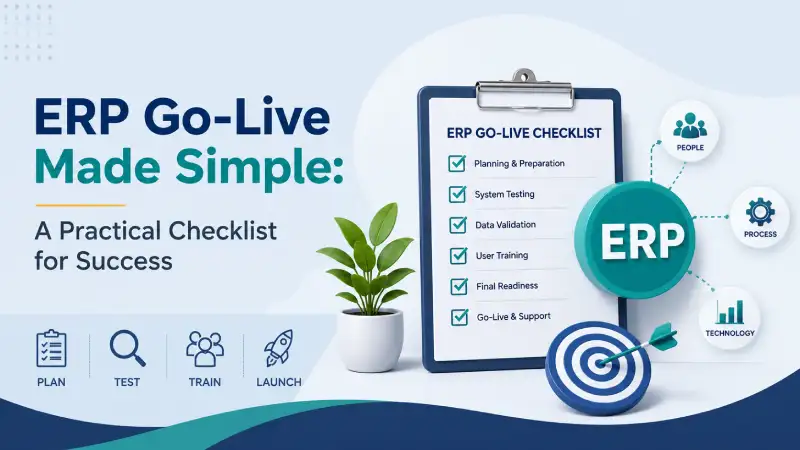
The Complete ERP Go-Live Checklist
The following checklist has been developed from real ERP implementations and can help organizations reduce risk during ERP launch.
1. Business Process Sign-Off
Before Go-Live, every business process should be reviewed and formally approved.
This includes:
- Sales Process
- Purchase Process
- Inventory Process
- Manufacturing Process
- Quality Process
- Finance Process
- Approval Workflows
If users are still debating how transactions should be performed, the organization is not ready for Go-Live.
Ask Yourself
Can every department clearly explain how daily operations will be performed in ERP?
If the answer is no, Go-Live should be postponed.
2. User Acceptance Testing (UAT) Completion
One of the most common implementation mistakes is treating UAT as a formality.
UAT should simulate real business operations.
Users should test:
- Standard transactions
- Exception scenarios
- Approval processes
- Reports
- Dashboards
- Integrations
Real-Life Example
In one engineering company, production users signed off UAT without testing routing changes.
After Go-Live, production orders failed because routing configurations had not been properly validated.
The issue delayed manufacturing for several days.
UAT exists to prevent these situations.
3. Master Data Validation
ERP systems are only as good as their master data.
Review:
- Customers
- Vendors
- Products
- Warehouses
- BOMs
- Routings
- Tax Configurations
- Price Lists
- Chart of Accounts
Incorrect master data can create operational issues immediately after Go-Live.
4. Opening Balance Verification
Opening balances deserve special attention.
Inventory Balances
Verify:
- Quantities
- Warehouse balances
- Batch Numbers
- Serial Numbers
- Locator Information
Financial Balances
Verify:
- Receivables
- Payables
- Cash Balances
- Bank Balances
- General Ledger Balances
I have seen companies spend six months implementing ERP and then spend three months fixing opening balance mistakes.
Never underestimate this step.
5. Data Migration Validation
Data migration is not complete when data is uploaded.
It is complete when business users verify its accuracy.
Validate:
- Customers
- Vendors
- Products
- Open Sales Orders
- Open Purchase Orders
- Open Production Orders
- Financial Transactions
Business teams must participate in validation.
Do not leave verification entirely to consultants.
6. Security and User Access Testing
Every user should have the correct access rights.
Verify:
- User Roles
- Menu Access
- Approval Rights
- Financial Permissions
- Warehouse Access
The first day of Go-Live should never be spent resolving login issues.
7. Infrastructure Readiness
Whether ERP is cloud-based or on-premises, infrastructure readiness is essential.
Check:
- Servers
- Internet Connectivity
- Printers
- Barcode Devices
- Mobile Devices
- Email Services
- Backup Systems
Even the best ERP software cannot compensate for poor infrastructure.
8. Report Verification
Reports become critical immediately after Go-Live.
Verify:
- Sales Register
- Purchase Register
- Inventory Reports
- Stock Valuation
- Trial Balance
- Profit & Loss
- Balance Sheet
- Production Reports
Management depends on these reports for decision-making.
9. End User Training
Many ERP projects underestimate training.
Users need practical experience.
Focus training on:
- Daily Transactions
- Common Mistakes
- Approval Workflows
- Troubleshooting
Real-Life Example
A distribution company successfully completed implementation.
However, users had attended training nearly two months before Go-Live.
By launch day, many users had forgotten key processes.
Additional training had to be conducted during stabilization.
Refresher training could have prevented the issue.
10. Cutover Planning
Cutover planning defines the activities immediately before Go-Live.
Prepare a detailed cutover plan covering:
- Final Data Migration
- User Creation
- Opening Balance Upload
- Legacy System Freeze
- Final Validation
- Go-Live Approval
Every activity should have:
- Owner
- Timeline
- Status
- Escalation Path
11. Support Team Readiness
The first few days after Go-Live are critical.
Ensure availability of:
- Functional Consultants
- Technical Consultants
- Key Users
- Department Heads
- Project Sponsors
Fast issue resolution builds user confidence.
12. Contingency Planning
Every Go-Live should include a backup strategy.
Ask:
- What happens if connectivity fails?
- What happens if migration issues are discovered?
- What happens if integrations stop working?
- What happens if key users are unavailable?
Preparation reduces risk.
Ignoring risks increases it.
What Should Happen During Go-Live Week?
Many organizations focus on Go-Live day and ignore the week leading up to it.
That is a mistake.
7 Days Before Go-Live
- Freeze major process changes
- Complete data validation
- Verify infrastructure
3 Days Before Go-Live
- Conduct final migration rehearsal
- Verify user access
- Confirm support team availability
1 Day Before Go-Live
- Freeze transactions in legacy systems
- Upload final balances
- Complete final sign-off
Go-Live Day
- Monitor critical transactions
- Track issues immediately
- Conduct hourly review meetings if necessary
First Week After Go-Live
- Daily status meetings
- Issue resolution tracking
- User support sessions
- Financial reconciliation
- Inventory verification
Common ERP Go-Live Mistakes
The same mistakes appear repeatedly across ERP projects.
Rushing to Meet a Date
Go-Live should be based on readiness, not management pressure.
Poor Data Validation
Incorrect data creates immediate business problems.
Inadequate Training
Untrained users struggle with adoption.
Ignoring Small Issues
Small problems often become major disruptions.
Lack of Executive Involvement
Leadership involvement is critical during transition.
What Happens During the First 30 Days After Go-Live?
Many organizations assume the project ends at Go-Live.
In reality, stabilization begins after Go-Live.
Focus on:
- Daily issue reviews
- User support
- Process monitoring
- Inventory verification
- Financial reconciliation
- Performance monitoring
The first 30 days determine whether users embrace or resist the ERP system.
Signs of a Successful ERP Go-Live
You know your Go-Live is successful when:
- Users confidently process transactions
- Customer orders are fulfilled without disruption
- Inventory balances remain accurate
- Financial reports reconcile correctly
- Support tickets decrease steadily
- Management gains real-time visibility
These are indicators that the organization is adapting successfully.
How AI Is Changing ERP Go-Live and User Adoption
Artificial Intelligence is beginning to transform ERP implementations.
AI can help organizations by:
- Identifying data inconsistencies
- Improving report analysis
- Assisting users during transactions
- Providing operational insights
- Reducing manual effort
As ERP platforms evolve, AI will play a larger role in helping organizations improve productivity and decision-making.
How Cyprus ERP and Onfinity ERP Support Successful Go-Live
At BRS Infotek, we have helped organizations successfully implement both Cyprus ERP and Onfinity ERP across manufacturing, pharmaceuticals, engineering, trading, distribution, and service industries.
Both platforms support:
- Inventory Management
- Procurement Management
- Sales Management
- Manufacturing
- Warehouse Management
- Finance & Accounting
- Project Management
- Quality Management
- MRP Planning
Cyprus ERP is designed for organizations seeking a practical, flexible, and cost-effective ERP platform.
It provides strong functionality for manufacturing, inventory control, finance, procurement, warehouse management, and business process automation.
Currently, Cyprus ERP does not include AI-enabled functionality.
However, AI capabilities are planned for release in year 2027, further enhancing automation, analytics, and user productivity.
Onfinity ERP is an advanced enterprise platform that already includes AI-enabled capabilities.
Organizations using Onfinity ERP benefit from:
- AI-assisted analytics
- Intelligent business insights
- Faster decision-making
- Enhanced reporting capabilities
- Improved operational visibility
Regardless of the platform selected, successful Go-Live depends on preparation, user readiness, process alignment, and strong implementation methodology.
Planning an ERP Go-Live?
A successful ERP Go-Live does not happen by accident.
It happens through preparation, testing, validation, training, and disciplined execution.
If your organization is planning an ERP implementation, upgrading an existing ERP, or preparing for Go-Live, investing time in readiness assessment can significantly reduce risk and improve project success.
At BRS Infotek, we help organizations evaluate Go-Live readiness, validate business processes, prepare data migration strategies, conduct user training, and support successful ERP launches using Cyprus ERP and Onfinity ERP.
The objective is simple:
Ensure your ERP starts delivering business value from Day One.
About the Author
Surya Sagar is the Founder and ERP Solution Architect at BRS Infotek with more than 18 years of experience in ERP consulting, implementation, manufacturing, procurement, warehouse management, finance, MRP, and business process optimization.
He has led ERP implementations across manufacturing, pharmaceuticals, distribution, retail, engineering, construction, and service industries. His expertise includes ERP strategy, Go-Live planning, inventory management, manufacturing operations, digital transformation, and enterprise process improvement through Cyprus ERP and Onfinity ERP solutions.


